56
Eversense E3 CGM User Guide
6
Note: There may be conditions
when your calibration result is
NOT accepted.
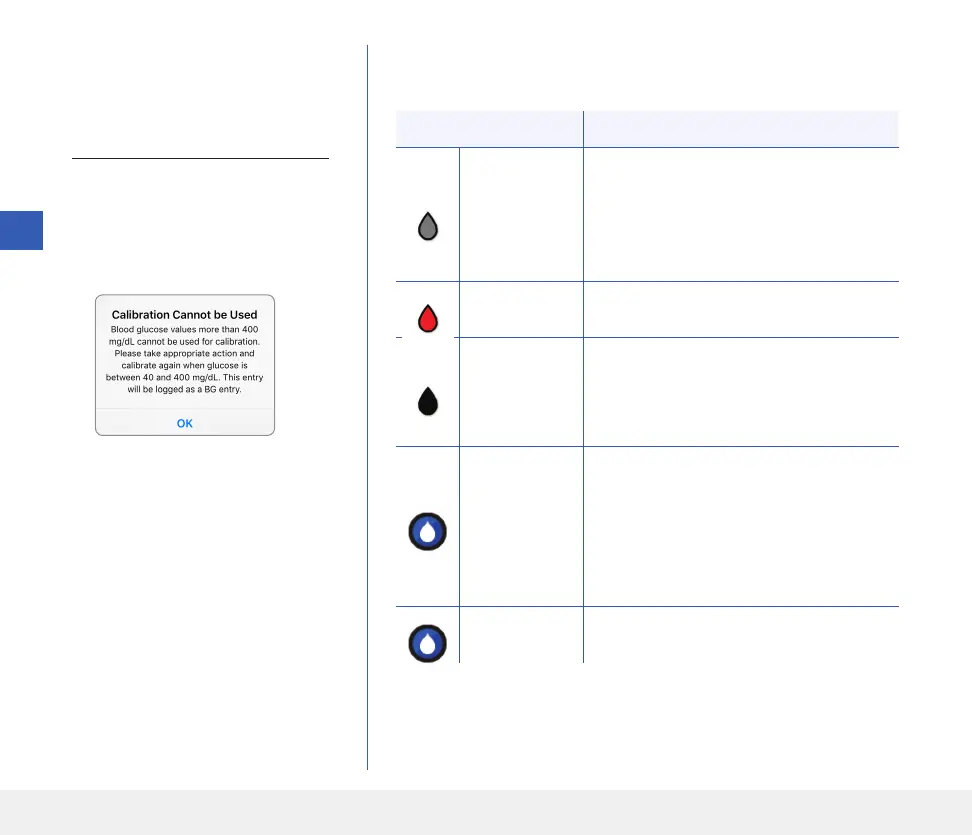
Calibration will NOT be accepted if:
Blood glucose meter reading is
less than 40 mg/dL.
Blood glucose meter reading is
greater than 400 mg/dL.
Your smart transmitter was
removed or could not collect
sensor glucose data during the
15 minutes after you entered
your calibration value.
The calibration icon colours indicate the status of your calibration entry.
See table below.
6
Status Description
Calibration
in Progress
Displayed during the ~15 minutes after you
have entered a calibration value. Do not
remove your transmitter during this time.
The icon will turn either red, black or blue
when calibration is no longer in progress.
Calibration
Accepted
Displayed after the ~15 minute calibration
period if the calibration entry is accepted.
Calibration
Incomplete
Displayed if the transmitter is removed
from over the sensor during the ~15 minute
calibration period. A new calibration entry
will be required.
Calibration
Cannot
be Used
Displayed if the calibration value entered
is less than 40 mg/dL or more than
400 mg/dL. The entered value is stored
as a manual blood glucose entry. Calibrate
again when your blood glucose value is
between 40 and 400 mg/dL.
Blood Glucose
Event Entry
Displayed when a manual BG value is
entered via the Event Log.



 To Next Page