IPLEX TXII
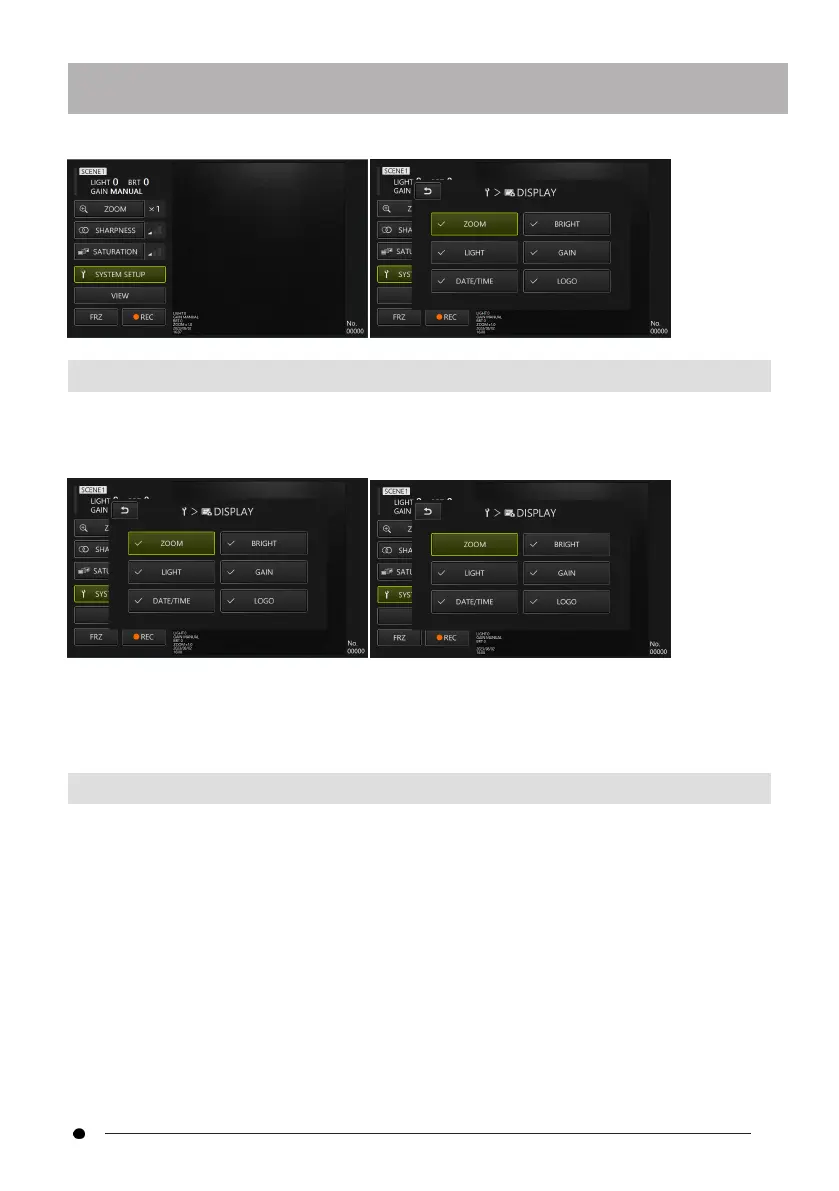
4.6.2 Selecting screen display
With the <DIPSPLAY> button selected with the d-pad on the control unit, briefly press
the [ENT/MODE] button or click/tap on the tablet to display the screen display setting
window.
With the desired item selected with the d-pad on the control unit, briefly press the
[ENT/MODE] button or click/tap on the tablet to add or remove checkmarks.
Items with a checkmark will be displayed on the live screen. If there is an item you want to
hide, remove the checkmark.
4.6.3 Setting the destination folder
1.
Select the <CHANGE FOLDER> button with the d-pad on the control unit and
briefly press the [ENT/MODE] button, or click/tap the <CHANGE FOLDER> button
on the tablet.
37



 To Next Page