6.2 Storing the devices in the cases
6.2.1 Storing the tablet in the carrying case
1.
After exiting the TXII software, remove the USB port of the control unit from the
tablet.
2.
Remove the top cushion from the carrying case.
3.
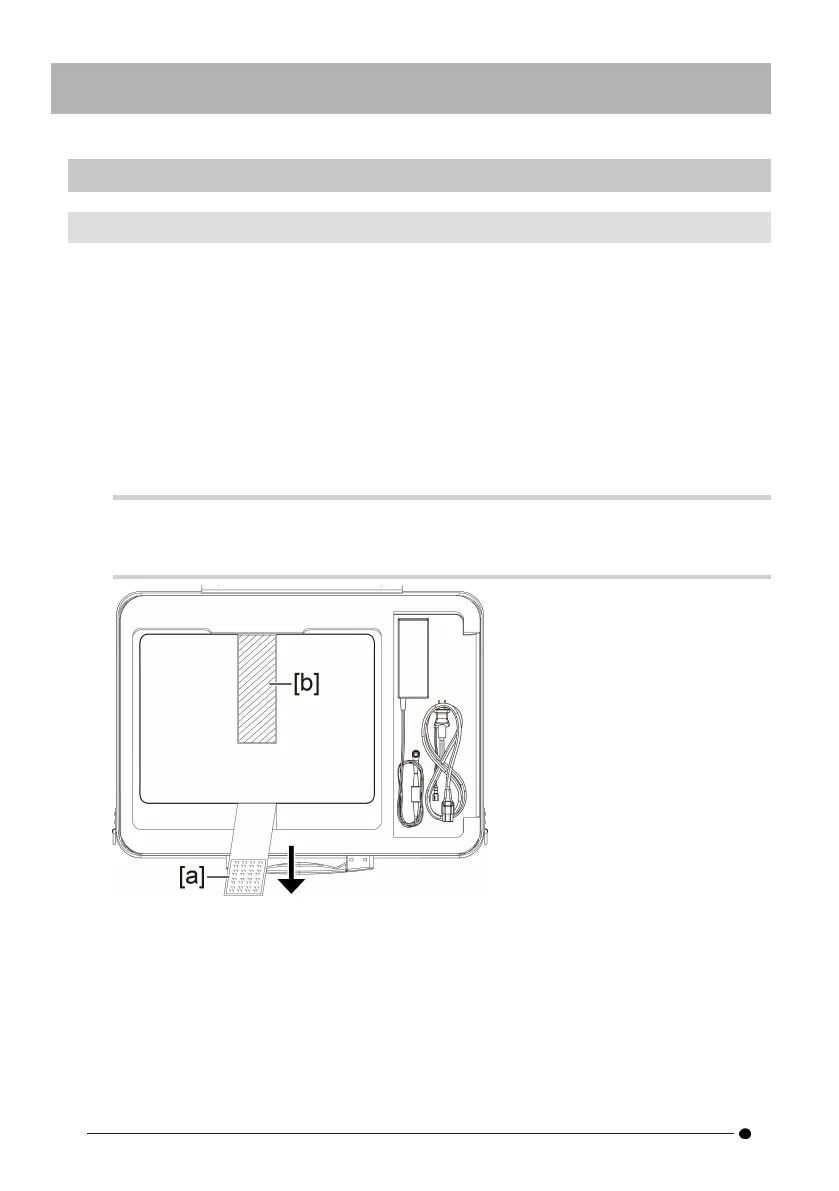
Store the tablet as shown in the diagram below. Pull the belt protruding from
the bottom of the tablet in the direction of the arrow, and then attach the hook
surface [a] to the loop surface [b] to fix it firmly.
Store peripheral devices such as AC adapters in the space on the right.
TIP:
The dimensions of the tablet that can be stored are as follows.
300(W) x 235(H) x 35(D)
4.
Attach the top cushion to the carrying case.
46



 To Next Page