IPLEX TXII
3.6 How to use the protection box
Using a protection box ensures a dust-proof and drip-proof structure equivalent to IP52 even
when a tablet is connected.
1.
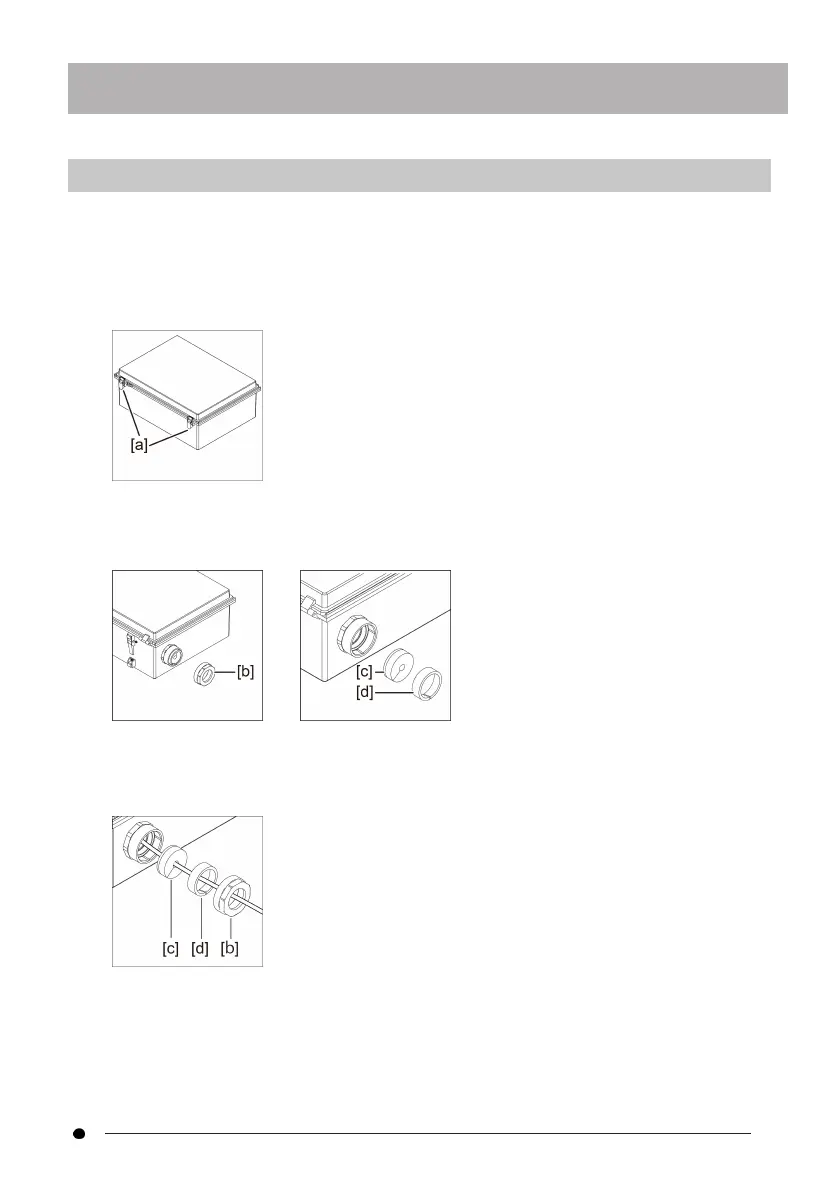
Remove the two lid lock latches [a] on the front of the protection box and open
the lid.
2.
Place the tablet on the tablet stand.
3.
Remove the side nuts [b] and remove the packing [c] and packing stop [d].
4.
Pass the USB cable of the control unit through the nut [b], the packing stop [d],
and the packing [c] in this order. When connecting an AC adapter or an external
monitor to the tablet, pass their cables as well.
5.
Combine the packing [c] with the packing stopper [d] and attach the nut [b] to
the protection box.
23



 To Next Page