XT Series DISK RECORDER – Version 9 - Hardware Technical ReferenceIssue 5.00
EVS Broadcast Equipment SA – April 2008
4
18” Touch Screen Video Monitor
Weight: 11.0 Kg / 23.9 Lbs.
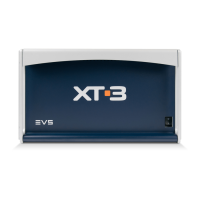
Keyboard - Weight: 0.4 Kg / 0.9 Lbs.
Tablet - Weight: 0.5 Kg / 1.2 Lbs.
Ref: Wacom® GD0405R
1.3 INSTALLATION
Important
Verify the disk recorder unit has the correct voltage specifications
for your power source prior to applying power.
(selectable 110/230 VAC on the rear panel of the power supply,
or autoswitch, depending on the type of power supply unit
installed)
Main power switch is located at the front side (lower right corner)
of the unit.
Before turning on the power, open the front door of Video disk recorder
unit to check if all boards fit into their guides. If a board is out of its
guides, remove carefully the board and replace it in the same slot.


 To Next Page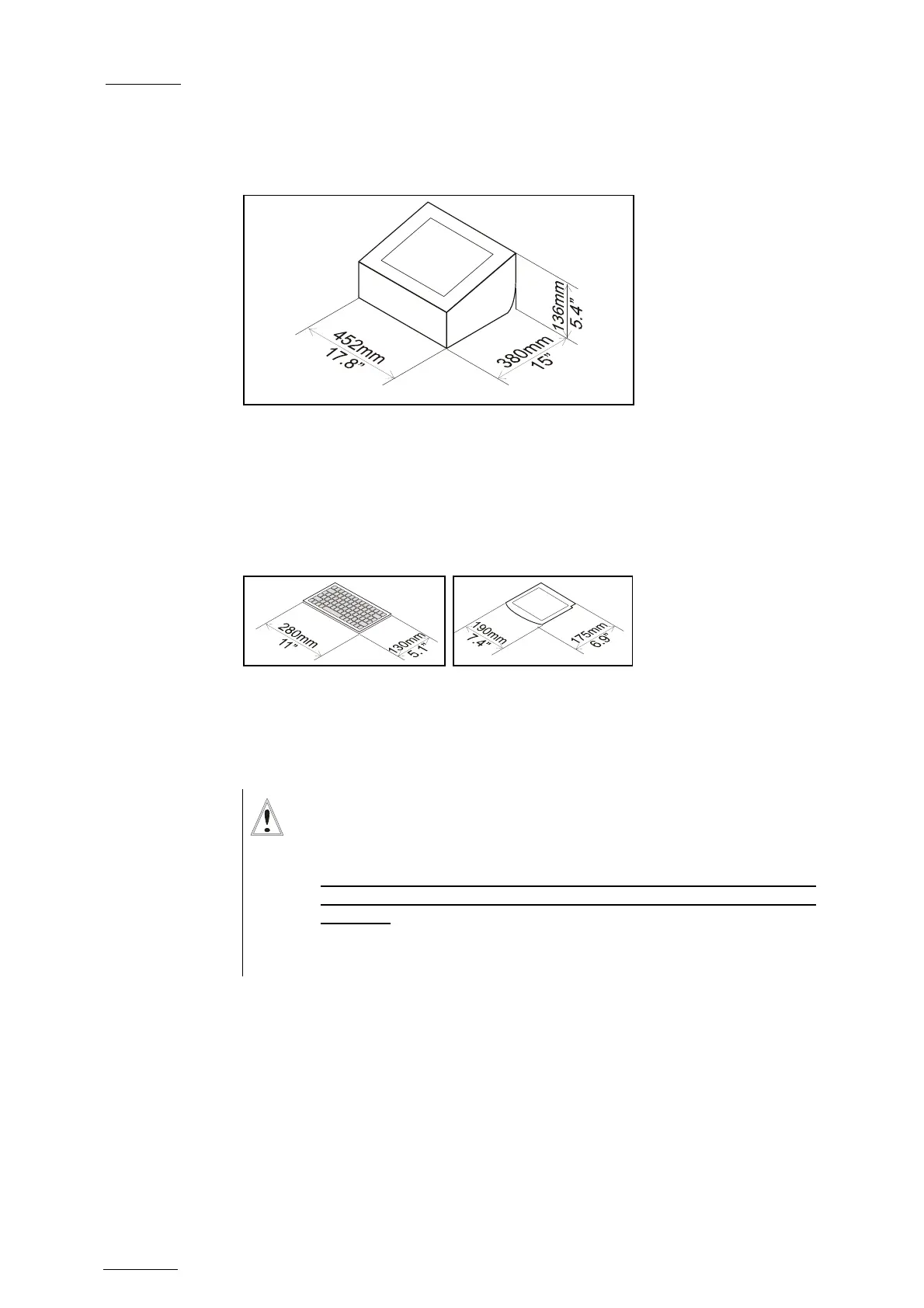
![Preview: EVS XT[2]](https://data.easymanua.ls/products/617905/200x200/evs-xt-2.webp)