Setting Up Your Unit
54 MaxTester Series
Changing the Background Picture
To add your own background pictures:
1. Transfer the images that you want to use to a USB memory key.
2. Connect the USB memory key to one of the USB ports on your unit.
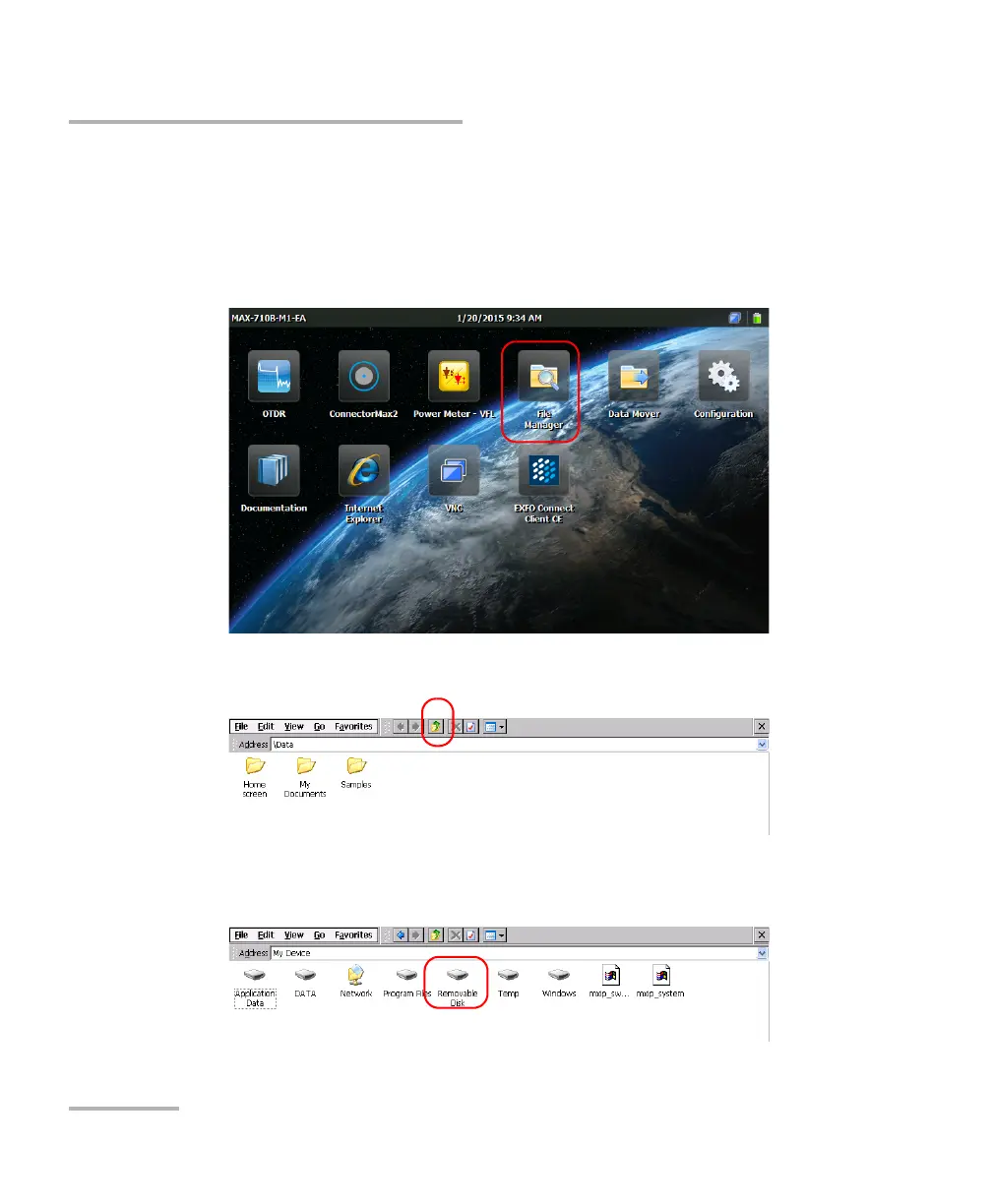
3. From the Home screen, tap File Manager.
4. Tap the parent folder button once.
5. Localize your USB memory key (identified by “Removable Disk” or
“Removable Disk 2”).












 To Next Page