MP-70/50 Wireless Option
MP-70/50 • MP-72/52 • MP-73/53 • PN 98-0002-29 • REV 1709.13 97
The recommended method of operating multiple scoreboards from one
wireless control is to use the SEL TRANSMIT mode and tune the control
and scoreboards to the same channel. As displayed below, the Court 1
scoreboards and control are tuned to channel 4 and the Court 2
scoreboards and control are tuned to channel 7. Keep in mind that this
arrangement will require you to physically change the channel at one of
the scoreboards of both courts if you ever want to operate all four
scoreboards independently with four wireless controls. On the other
hand, the benefit of this setup is that if either control ceases transmitting,
the scoreboards that particular control was operating will not lock on to
the signal from the other control.
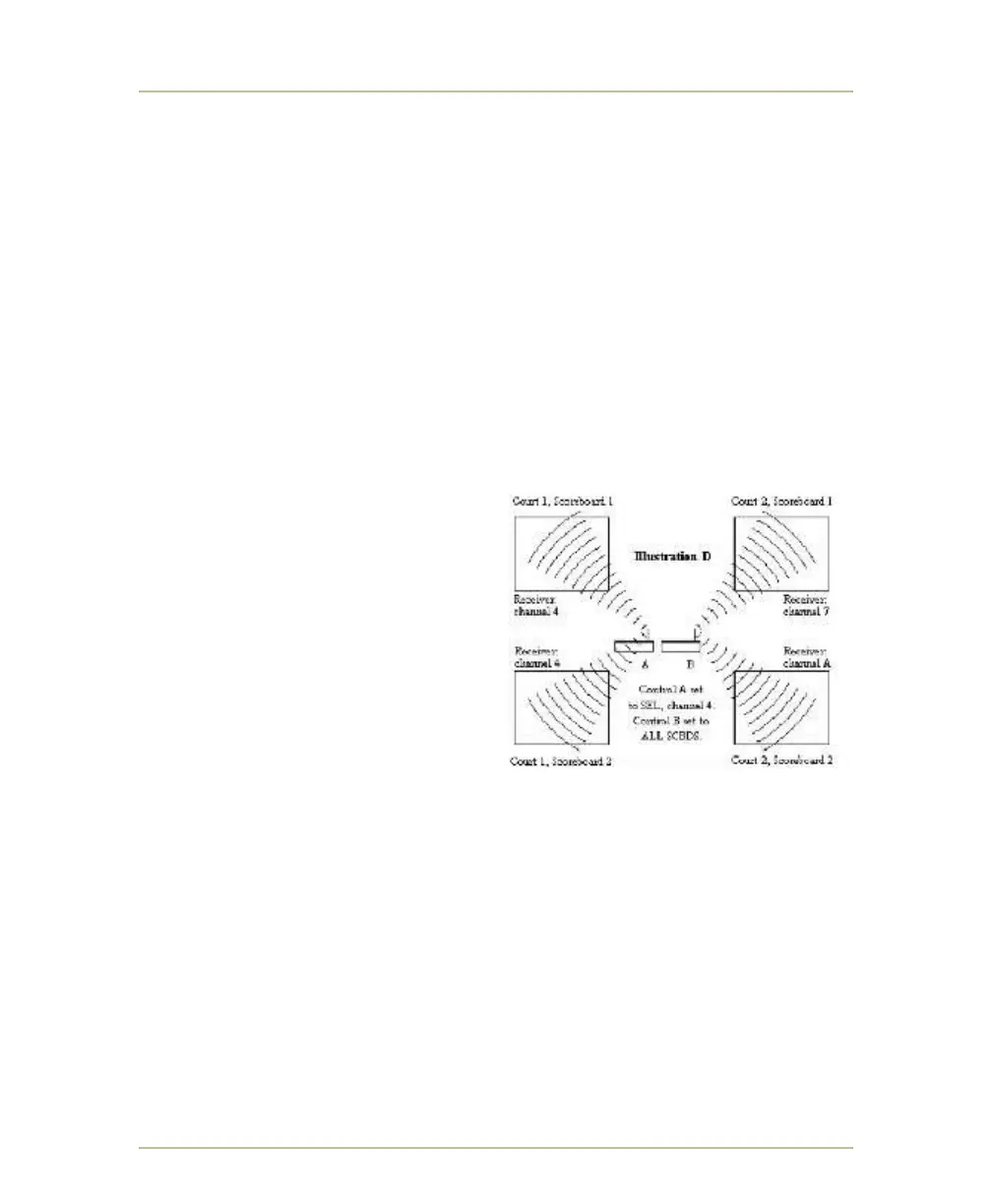
An alternative method would be to set the two scoreboards and one
control of court 1 all to the same channel and transmit wireless data in
the SEL mode. Once you have established the SEL mode wireless link
on that court, you can then establish a link in the ALL SCBDS mode on
court 2. (See illustration).
Again, this arrangement will
require you to switch one of
the court 1 scoreboards to a
different channel, if you ever
want to operate all four
scoreboards independently
with four wireless controls.
The drawback of this setup is
that if control A ceases
transmitting, the scoreboards
that control was operating
could eventually lock on to the
signal from control B.



 To Next Page