MP-72/52 G2 Wireless Option
108 MP-70/50 • MP-72/52 • MP-73/53 • PN 98-0002-29 • REV 1709.13
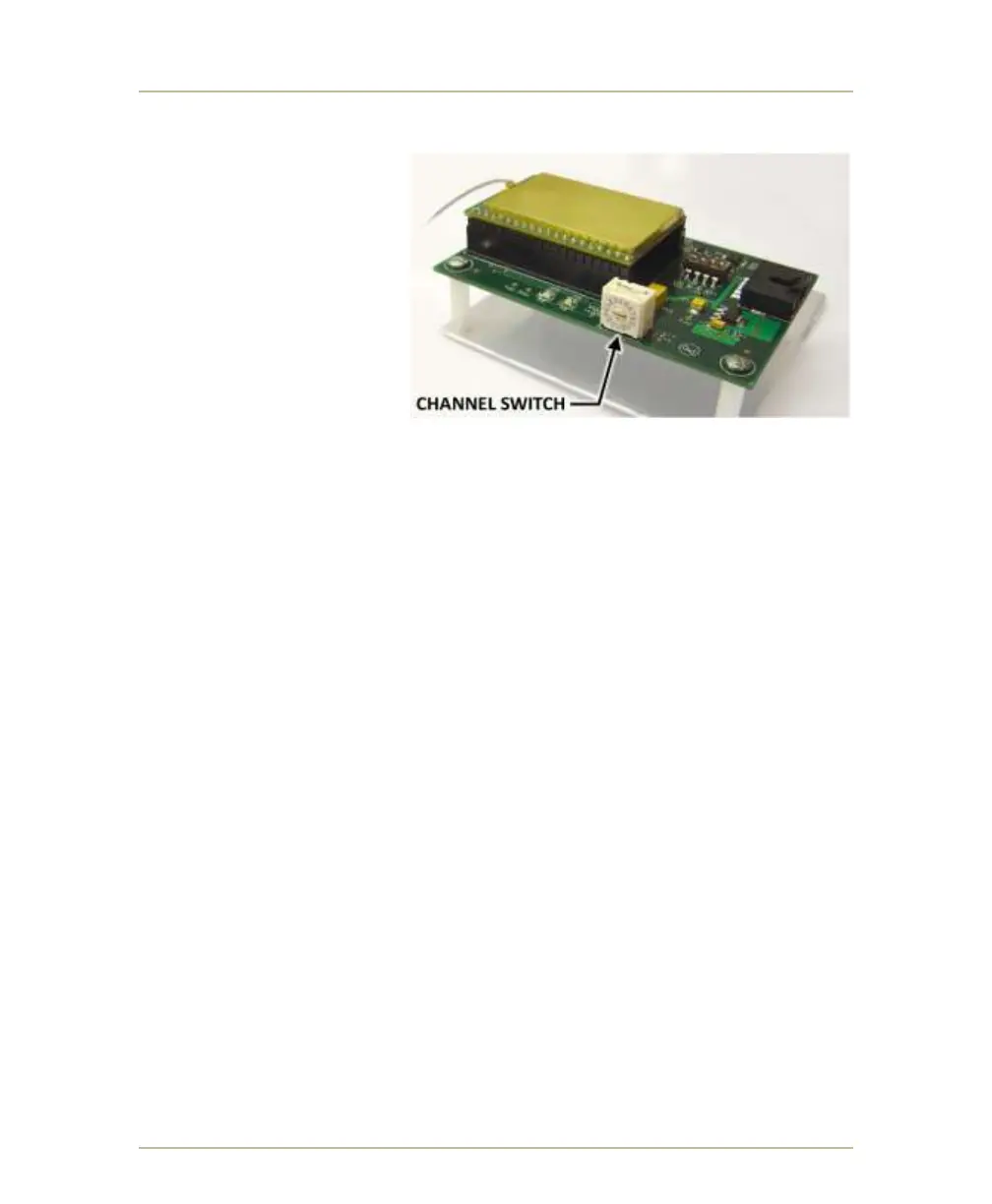
LOCATING CHANNEL SWITCH ON RECEIVER CARD (G2)
On the scoreboard or
receiving device, the
CHANNEL SELECTOR
SWITCH is located near
the edge of the receiver
card. It is a 16-position
rotary switch with a small
arrow indicating the
channel setting.
Channels 10 through 15
correspond to the letters A
through F. Refer to table
on page 106.
VERIFYING YOUR CHANNEL SELECTION (G2)
If the LED scoreboard is not receiving any signal from the control, the receiver
channel number will display on the scoreboard for 30 minutes after you have
powered it up. After that 30-minute period, the channel number displayed will
disappear and a roving segment will move around the digits of the scoreboard.
Note: If you do not see either the channel number or the roving segment
displayed on your scoreboard, then the scoreboard may have a power
failure.
VERIFYING SCOREBOARD SIGNAL LOCK (G2)
If channel number is not displayed by scoreboard, then there is some other
problem or the scoreboard is not compatible.



 To Next Page