Battery Option
MP-70/50 • MP-72/52 • MP-73/53 • PN 98-0002-29 • REV 1709.13 137
POWER METER BUTTON
Caution! If the LED Power Meter does not light up when you
turn on the control, or press the Power Meter Button,
or if the first LED flashes, then recharge the battery.
Please refer to Micro USB Charging Port below.
The Power Meter Button is located on the top of the MP-70/50
control between the four LED Power Meter indicators.
If the LED Power Meter is off, then press the button to
momentarily display the LED Power Meter.
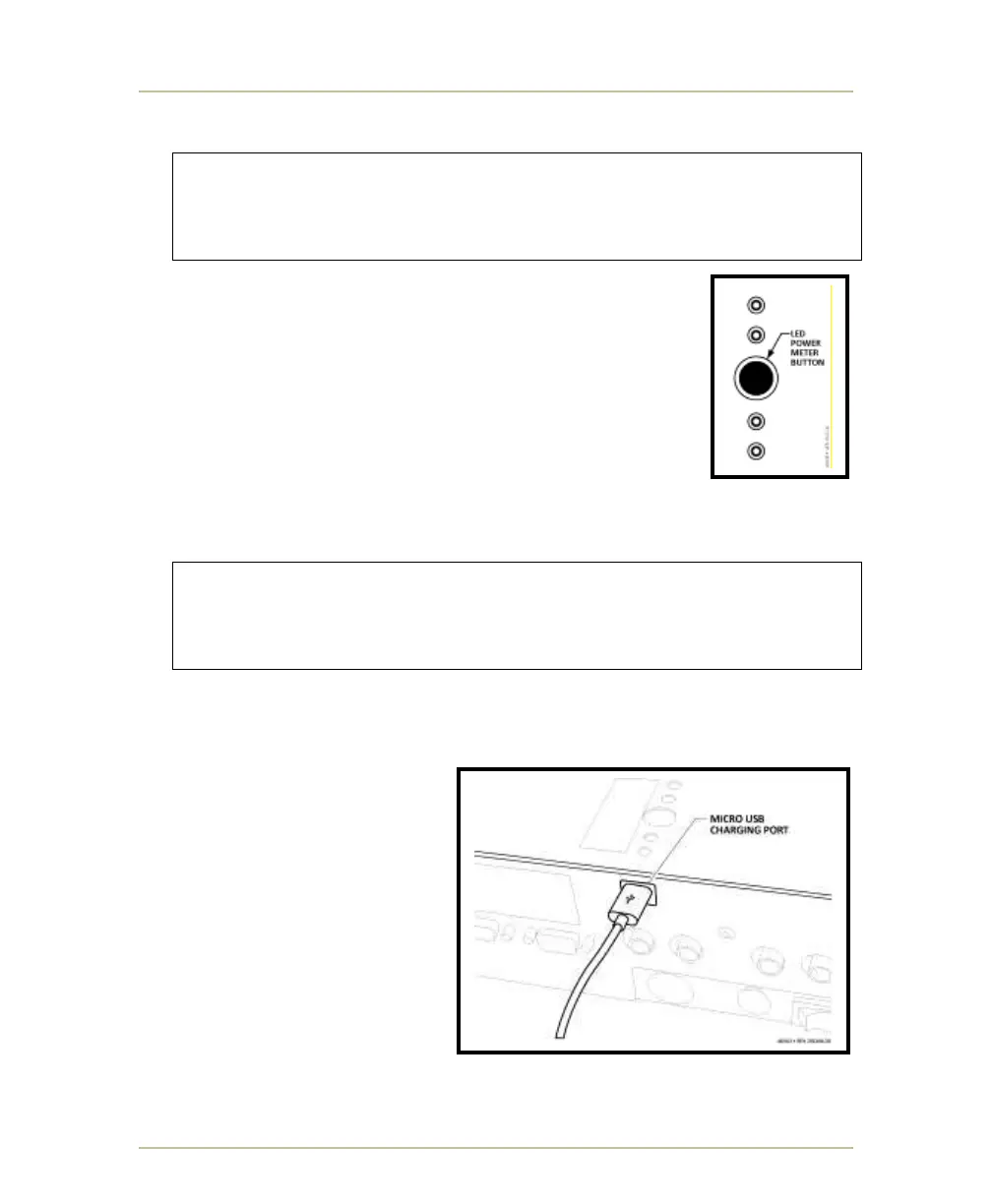
MICRO USB CHARGING PORT
Caution! Do not charge the battery while the MP-70/50 control
is ON and in use during a game. Doing so may shut
down the control and cause an interruption during the
game.
The Micro USB Charging Port is located on the back of the MP-70/50.
TO CHARGE THE BATTERY
1. Set the power switch
located on the control’s
back panel to OFF.
2. Connect one end of the
charging cable to the
Micro USB Charging port.
3. Connect other end of
cable to charger.
4. Plug the charger to a
120VAC wall outlet.
5. When recharge cycle is
complete, unplug the charging cable from the Micro USB Charging Port,
and unplug the charger from the wall outlet.



 To Next Page