DATA INPUT
CARD G / FIT 33 V 6.15 E / April 2010
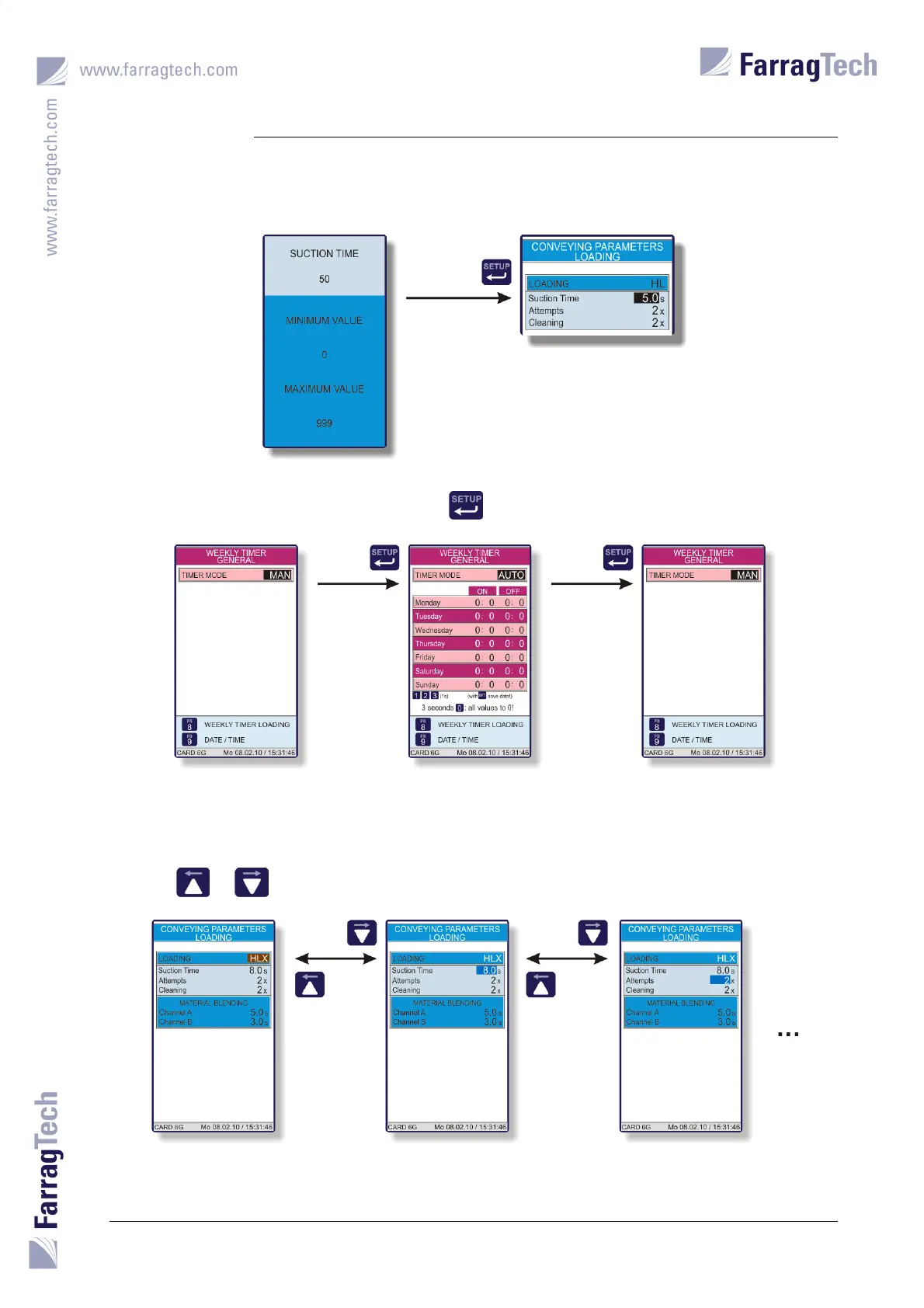
Numbers with decimals must be entered without decimal point in the EDITOR SCREEN. For example,
if the value 5.0 is required, the number 50 must be put in.
Non-numeric values are altered with the key .
In certain menus, parameters are released or hidden depending on the setting of the non-
numeric value.
The key or needs to be pressed to move the cursor to the next or previous position.


 To Next Page