EXTENDED MODE
CARD G / FIT 62 V 6.15 E / April 2010
17.7.3 DATE AND TIME
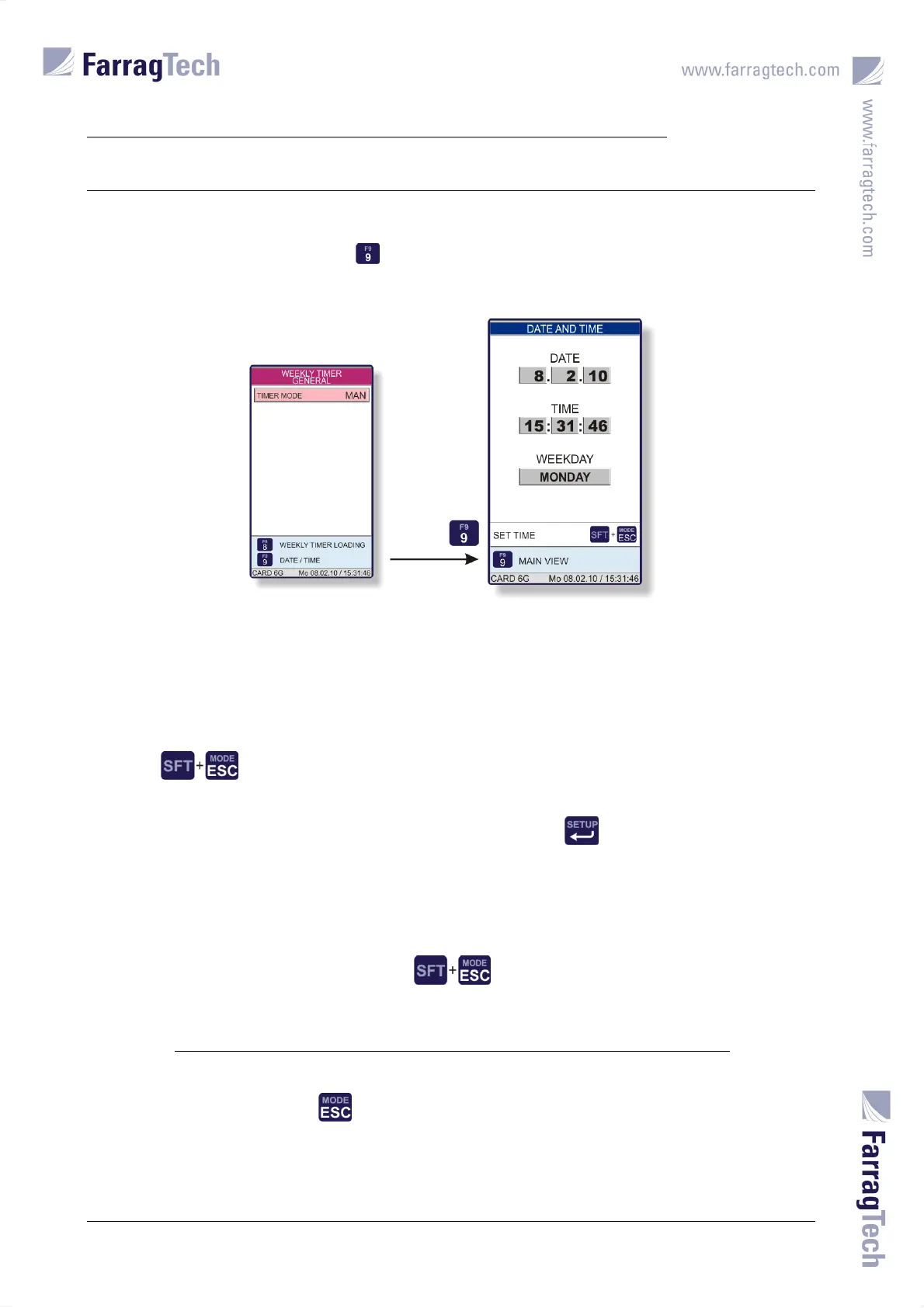
The menu to set DATE AND TIME is accessed from the screen WEEKLY TIMER GENERAL or WEEKLY
TIMER GENERAL LOADING with the key .
The accurate date and time are important to get correct information in the STATUS REPORT and in
the FAULTS SCREEN. Using automatic operation through the WEEKLY TIMERS also depends on the
correct settings for date and time in this screen.
Pressing simultaneously activates the setting procedure.
The time stops, and a blinking cursor appears. The EDITOR SCREEN needs to be used to enter the
numeric values. The weekday can be directly selected with the key.
To accept the new values the keys
need to be pressed at the same time.
The key is to be pressed to abandon this screen.


 To Next Page