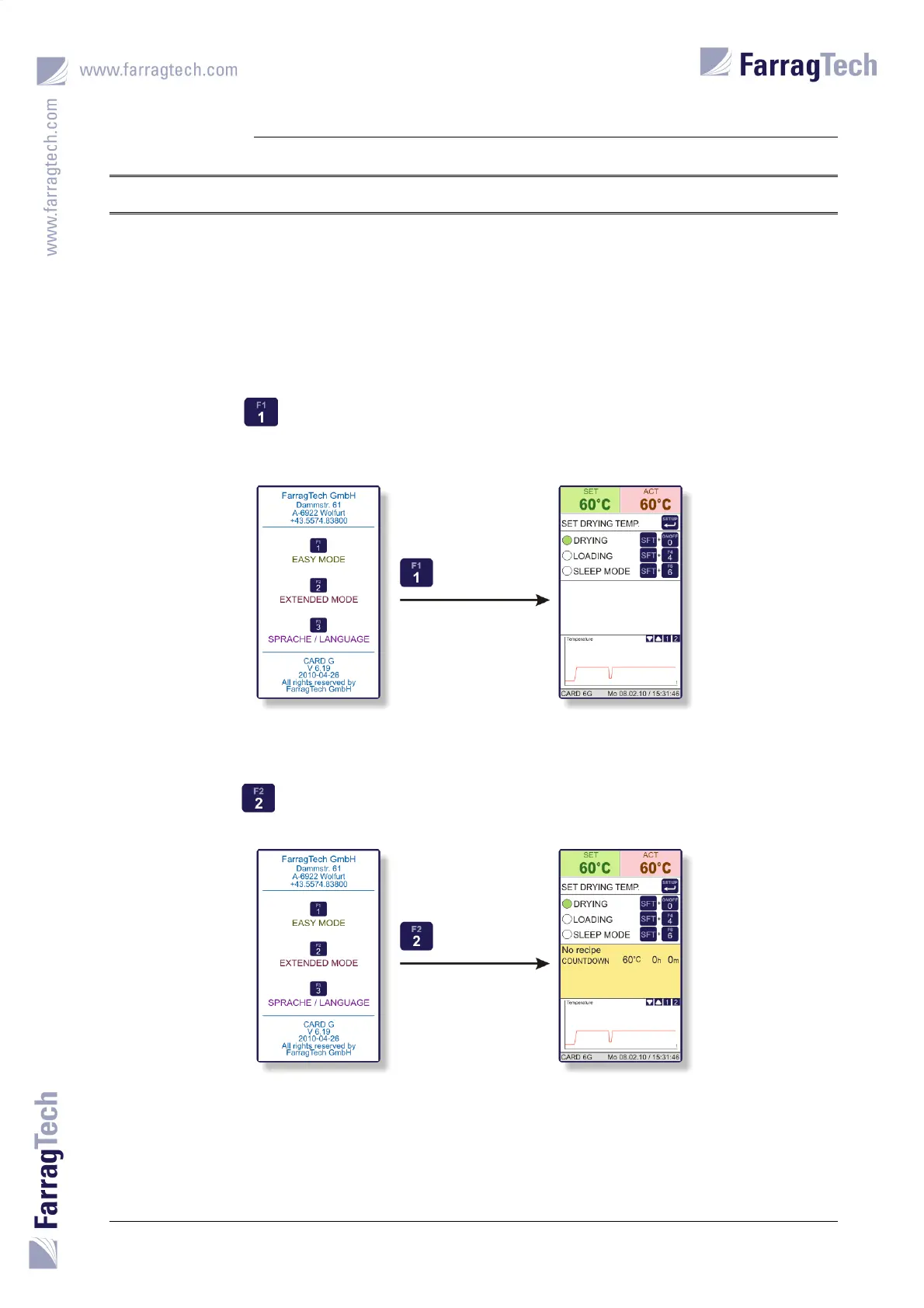
START SCREEN AND LANGUAGE SELECTION
CARD G / FIT 37 V 6.15 E / April 2010
15. START SCREEN AND LANGUAGE SELECTION
The START SCREEN appears on the FIT-controller every time the CARD G FIT unit is
powered on. If there is not made any selection by the operator, this screen remains displayed for
8 seconds before the MAIN SCREEN or the FAULTS SCREEN (in case of an alarm) is loaded
automatically.
Pressing the key activates the EASY MODE which allows the operator to enter only set point
for the drying temperature and suction time for a vacuum loading device (if connected to the
CARD G FIT – see chapter 16 on page 39).
Pressing the key activates the EXTENDED MODE which allows the operator to edit all
parameters in the FIT-controller (see chapter 17 on page 40).


 To Next Page