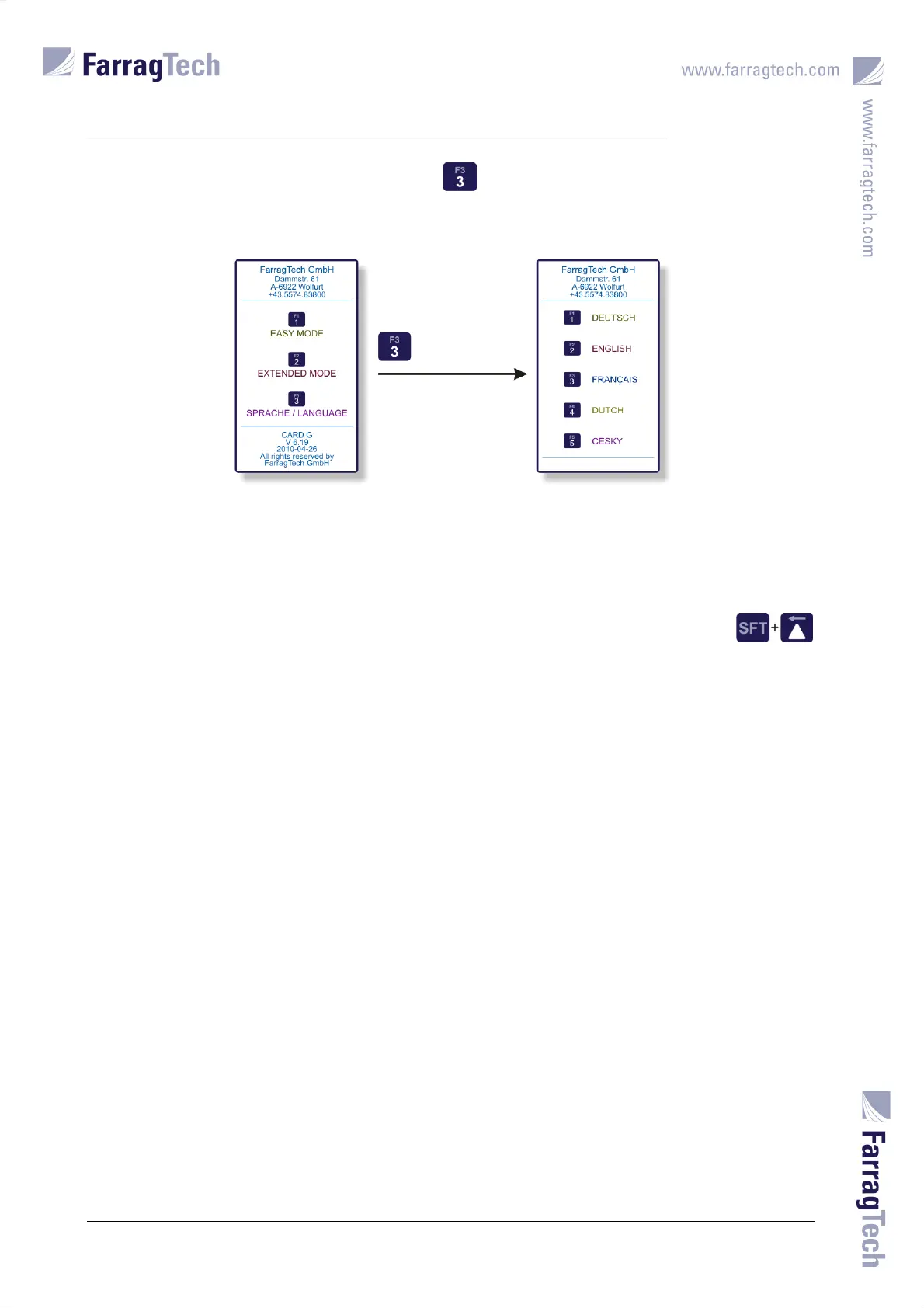
START SCREEN AND LANGUAGE SELECTION
CARD G / FIT 38 V 6.15 E / April 2010
The LANGUAGE MENU appears when the key is pressed. The desired language can be
selected through the key assigned to the appropriate language.
The display returns to the START SCREEN after a choice has been made. The MAIN SCREEN is not
loaded automatically until the desired operating mode is selected from the operator
The START SCREEN can be activated from the MAIN SCREEN at any time through the keys
being pressed simultaneously for 5 seconds (see chapter 14 on page 35).


 To Next Page