EXTENDED MODE
CARD G / FIT 71 V 6.15 E / April 2010
17.10.2 LAN SETTINGS
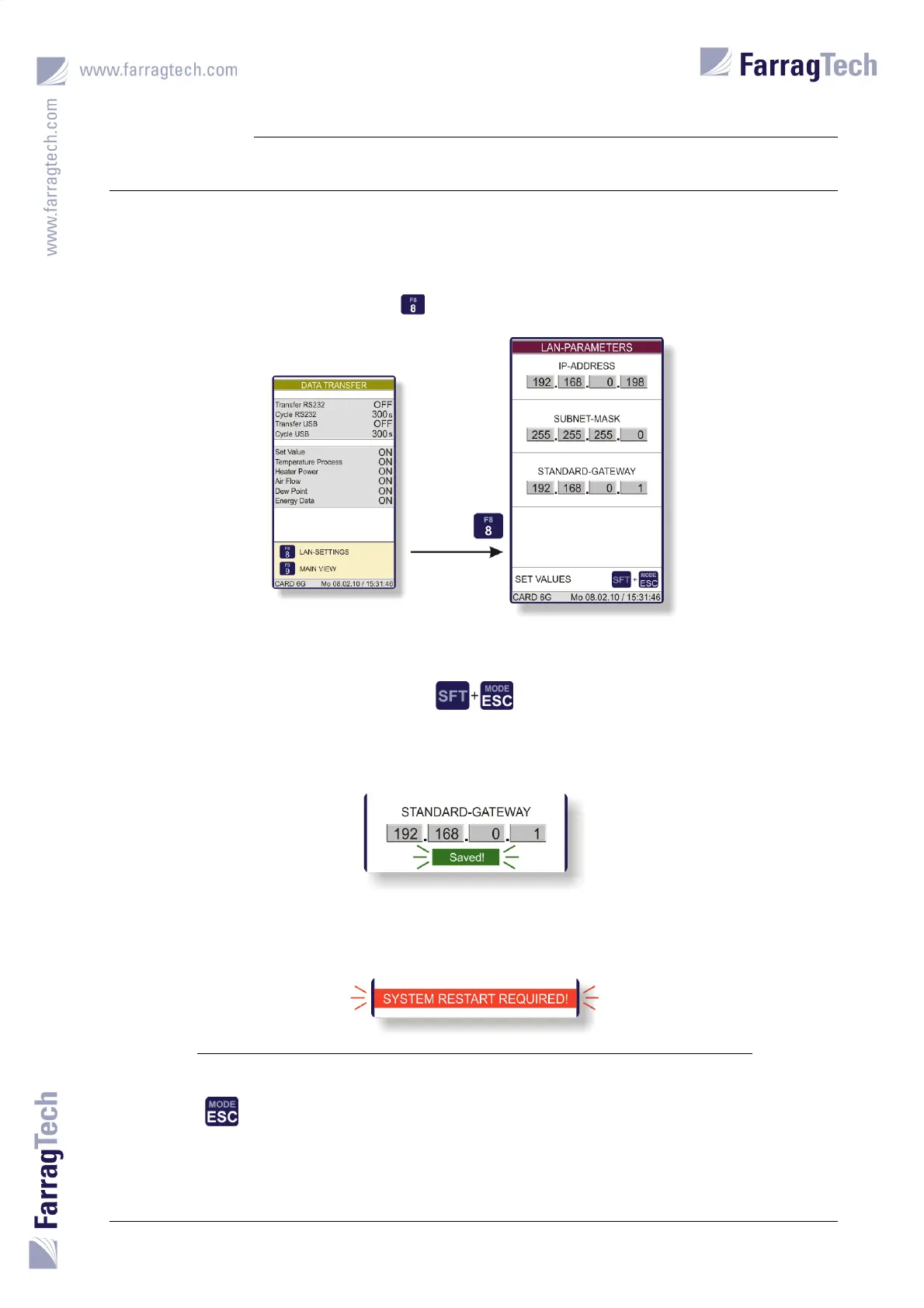
To establish an Ethernet
connection to the FIT-controller, the network addresses must be set to the local network
requirements. This can be done in the screen LAN-PARAMETERS which is activated from the
screen DATA TRANSFER through the key .
The EDITOR SCREEN must be used to set the addresses as desired. To confirm the altered data, the
keys
need to be pressed.
A message will be shown in the display when the values are accepted.
Finally, the CARD G FIT must be powered off and on again to accept the new LAN parameters.
The drying process must be deactivated and the cool down period must be expired before the
unit may be powered off.
The key is to be applied to return from this screen back to the screen DATA TRANSFER.


 To Next Page