EXTENDED MODE
CARD G / FIT 72 V 6.15 E / April 2010
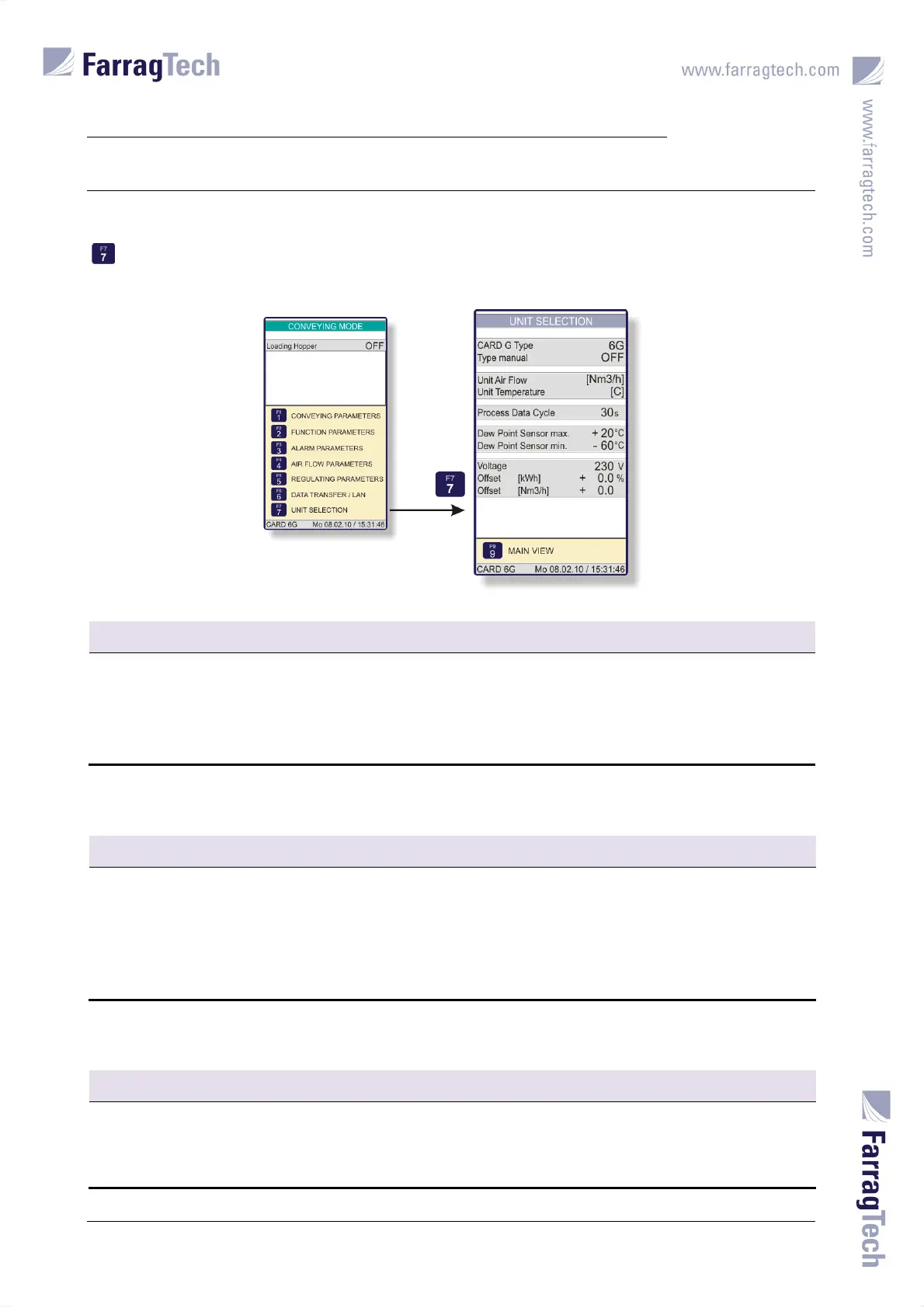
17.10.3 UNIT SELECTION
The parameters for UNIT SELECTION are accessed from the screen CONVEYING MODE with the key
. Among other parameters, the displaying units for air flow and temperature can be adjusted
in this screen.
CARD G Type
FACTORY SETTING: Automatic detection
The values 1G, 3G and 6G might be selected in this parameter
This parameter can only be changed if parameter T
YPE MANUAL is set to ON.
As a standard, the FIT-controller detects the correct CARD G FIT type automatically. A manual
adjustment will only be required if the automatic detection fails or a special drying process is required.
Type manual
FACTORY SETTING: OFF
The values OFF and ON might be selected in this parameter.
This parameter must be set to ON to allow the adjustment of the parameter CARD
G TYPE. With setting
OFF in this parameter, the FIT-controller detects the correct CARD G FIT type automatically.
A manual adjustment will only be required if automatic detection fails or a special drying process is
required.
Unit Air Flow
FACTORY SETTING: [Nm3/h]
The values [Nm3/h] and [cfm] might be selected in this parameter.
Depending on this adjustment, the air flow values are indicated as cfm (cubic feet per minute) or as
Nm³/h (standard cubic meters per hour) in different screens.


 To Next Page