EXTENDED MODE
CARD G / FIT 48 V 6.15 E / April 2010
17.3 PROCESS DATA SCREEN
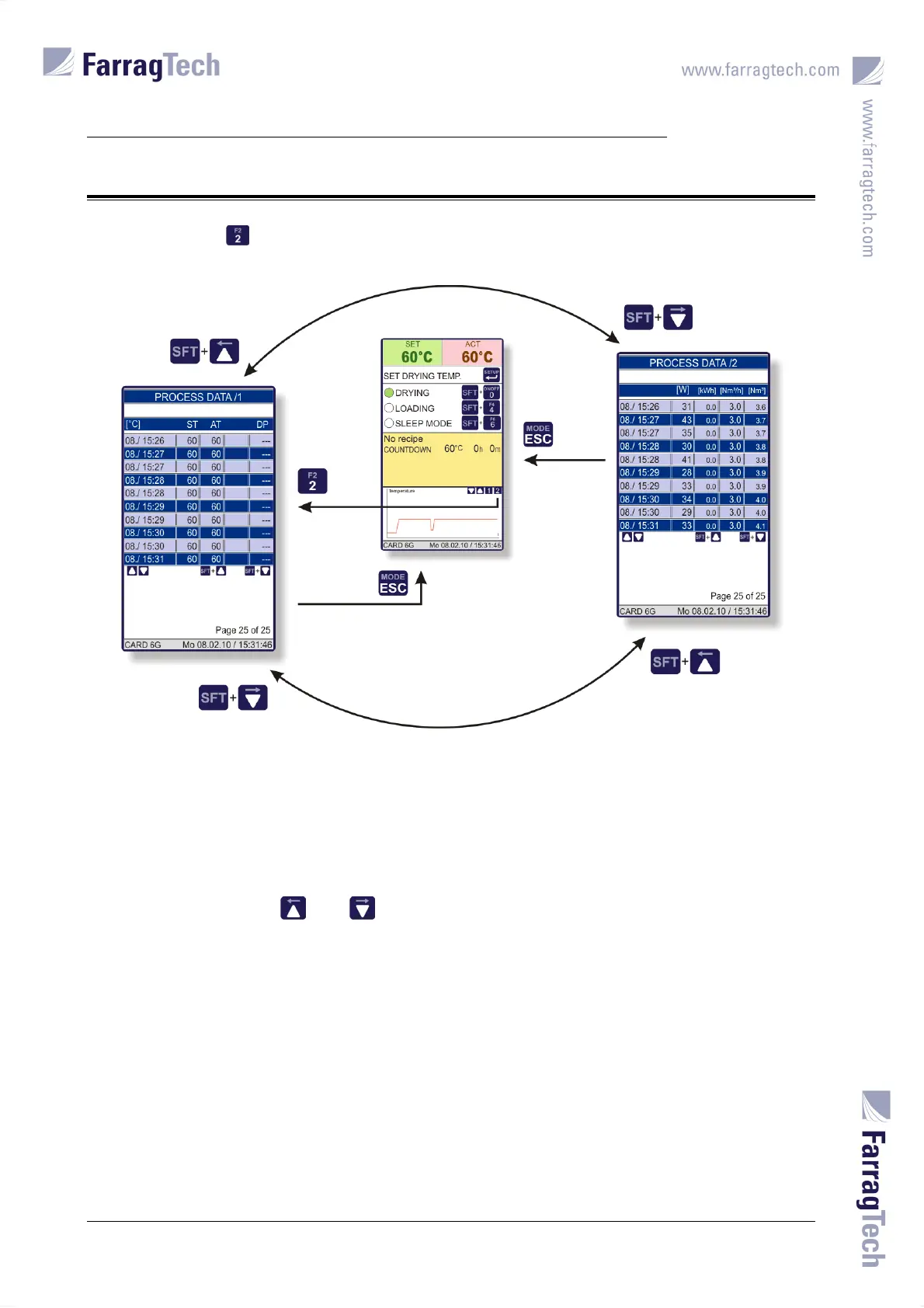
Pressing the key in the MAIN SCREEN activates the PROCESS DATA SCREEN.
Two levels with data are available which can be switched with the ARROW LEFT and ARROW RIGHT
keys.
Important process data are continuously recorded into 250 data sets on 10 pages. They can be
accessed with the keys and . The page number appears at the right-hand side in the
lower part of the display.
If more than 250 data sets recorded, each new data set will replace the oldest one.
The temperature characteristics displayed in the MAIN SCREEN refer to the data saved herein.
Further important process data are additionally saved.


 To Next Page