EXTENDED MODE
CARD G / FIT 40 V 6.15 E / April 2010
17. EXTENDED MODE
In the EXTENDED MODE, all parameters can be accessed by the operator.
17.1 MAIN SCREEN AND OPERATION
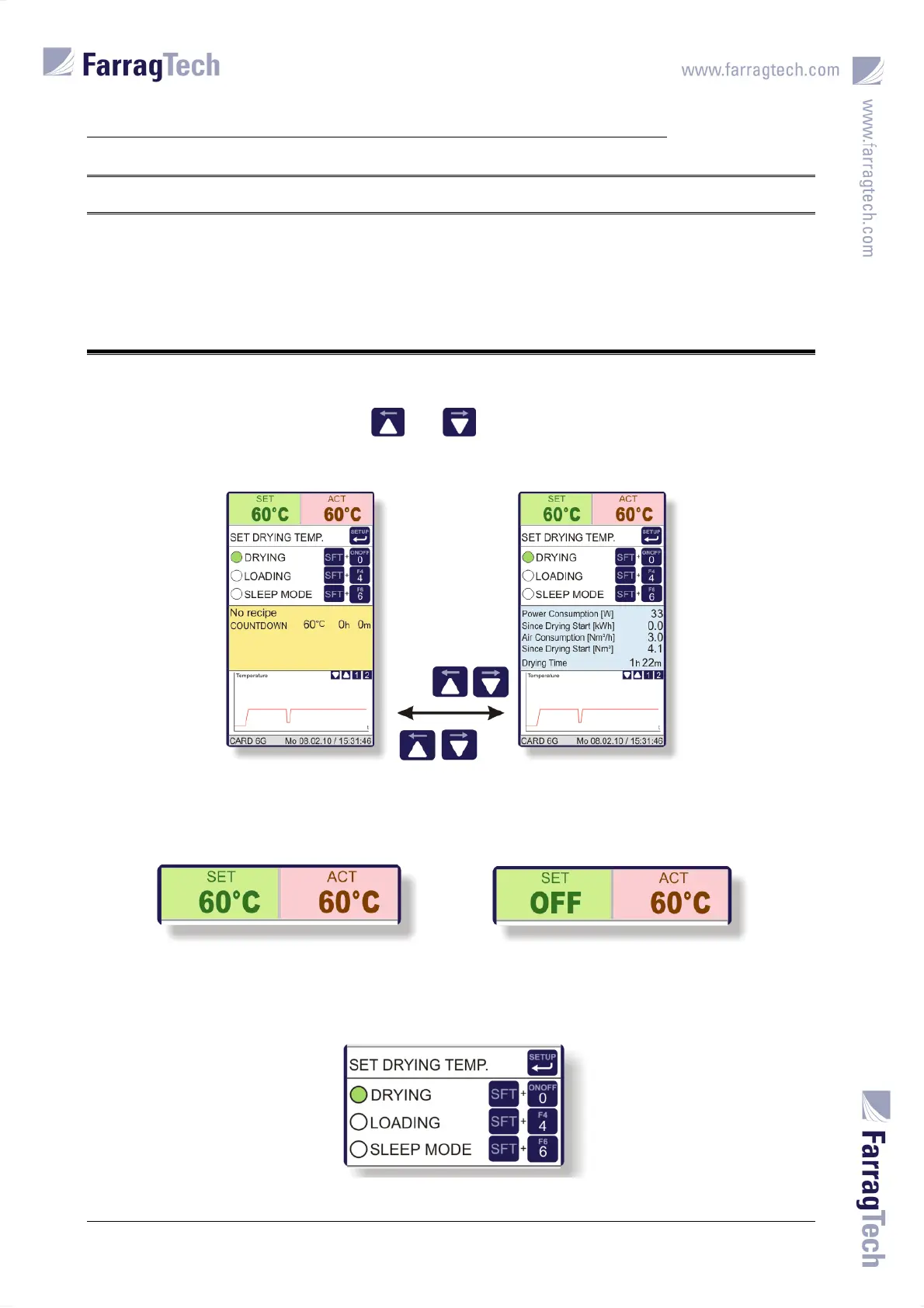
The MAIN SCREEN offers two pages with different information in the middle part of the display
which can be switched with the keys and .
The set value of the drying temperature (SET) and the actual value of the process air temperature
(ACT) are displayed at the top of the screen. OFF is displayed for 8 seconds in turn with the set
value for 2 seconds when the dryer is switched off.
The screen in the upper middle part notifies how to operate the unit and to input parameters. The
keys used to operate the unit can always be applied independent of the screen currently shown.
The key used to input set value and other parameters can only be applied in the MAIN SCREEN.


 To Next Page