EXTENDED MODE
CARD G / FIT 41 V 6.15 E / April 2010
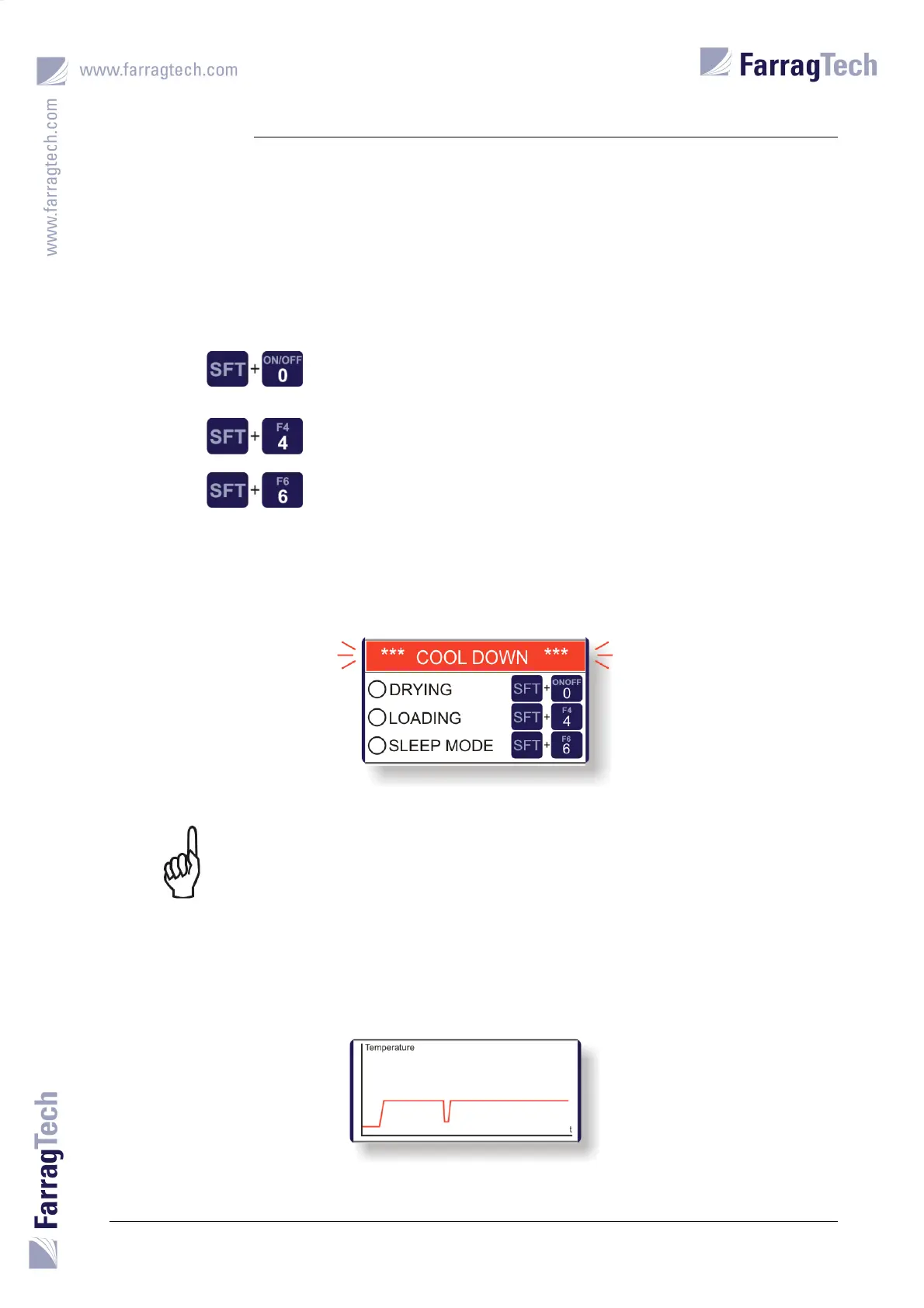
A green light on the left hand side indicates that the named process is switched on. When the
process is switched off, the light will become white.
In general, following keys are to be used to operate the CARD G FIT unit:
Starts and stops the drying process.
(The loading process must once be switched on to get automatically
activated and deactivated with the drying process).
Starts and stops the loading process.
Activates and deactivates the SLEEP-MODE manually.
After the drying process has been switched off, the message „COOL DOWN“ flashes until the
heater is cooled down properly.
The CARD G FIT is allowed to get switched off by the man power switch only
after the cool down period has expired or in case of an emergency.
Drying temperature is traced to a graphic chart in the lower part of the display. It illustrates the
drying process over a certain period of time and helps the operator to quickly detect and react in
case of an insufficient drying process.


 To Next Page