EXTENDED MODE
CARD G / FIT 58 V 6.15 E / April 2010
17.7 WEEKLY TIMER
17.7.1 WEEKLY TIMER GENERAL
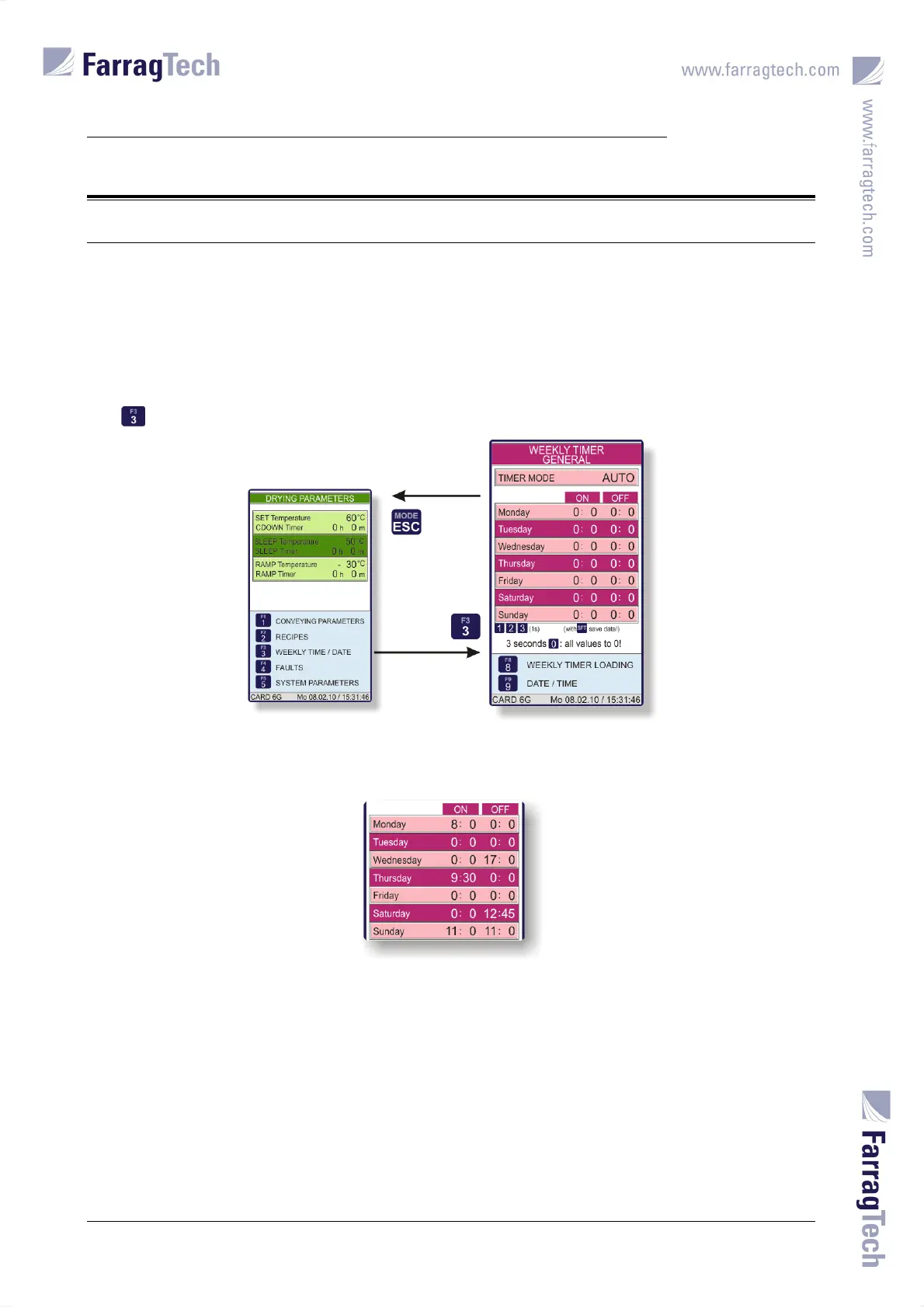
The drying process can be activated and deactivated automatically by the weekly timer. The
TIMER MODE must be set to AUTO to activate the weekly timer.
The switching times become visible as soon as the weekly timer is activated. One ON-time and
one OFF-time can be set per day.
The GENERAL WEEKLY TIMER is accessed from the screen with the DRYING PARAMETERS with the
key .
To avoid an ON-switching or an OFF-switching action on a certain day the appropriate time must
be set to 0:00, or the ON- and OFF-time must be set to the same value.
According to upper illustration, the following weekly timer program would take place:
On Monday at 8:00 a.m. the drying is started, and on Wednesday at 5:00 p.m. it is stopped again.
There is no switching action on Tuesday because both times are set to 0:00, and there is no OFF-
switching action on Monday because this value is also set to 0:00. The ON-time on Wednesday
shows 0:00 with no switching action, either.
The drying is activated again on Thursday at 9:30 a.m. and continues to work until 12:45 p.m. on
Saturday, because all prior switching times are set to 0:00.
On Sunday the drying remains deactivated, because ON- and OFF-time show the same value.


 To Next Page