EXTENDED MODE
CARD G / FIT 56 V 6.15 E / April 2010
The drying process is now executed according to the loaded recipe data.
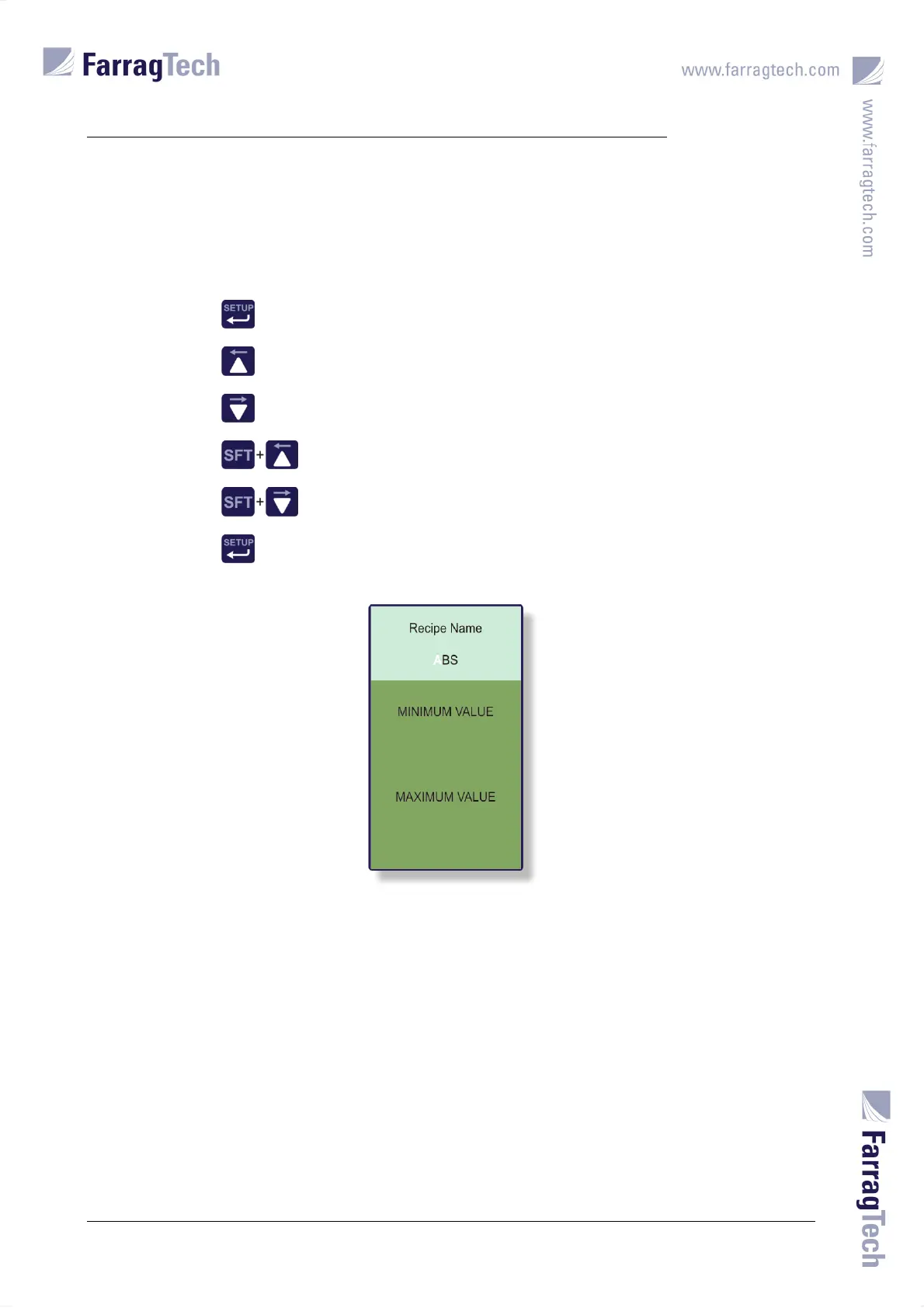
Following keys must be used to change the name of the material:
Open the
EDITOR SCREEN.
Choose former character.
Choose next character.
Move cursor to character on the left-hand side.
Move cursor to character on the right-hand side.
Confirm the new recipe name.
The character which is currently adjusted by the operator is marked white. 12 characters can be
used for the name as a maximum.
The values for set temperatures and timers are entered through the numeric keypad on the FIT-
controller.
The meaning of set temperatures and timers are explained in chapter 17.4 on page 50. The same
rules for the adjustment need to be considered.


 To Next Page