Partie III – Pump programming
32
Entering the residual rate
SO
♥
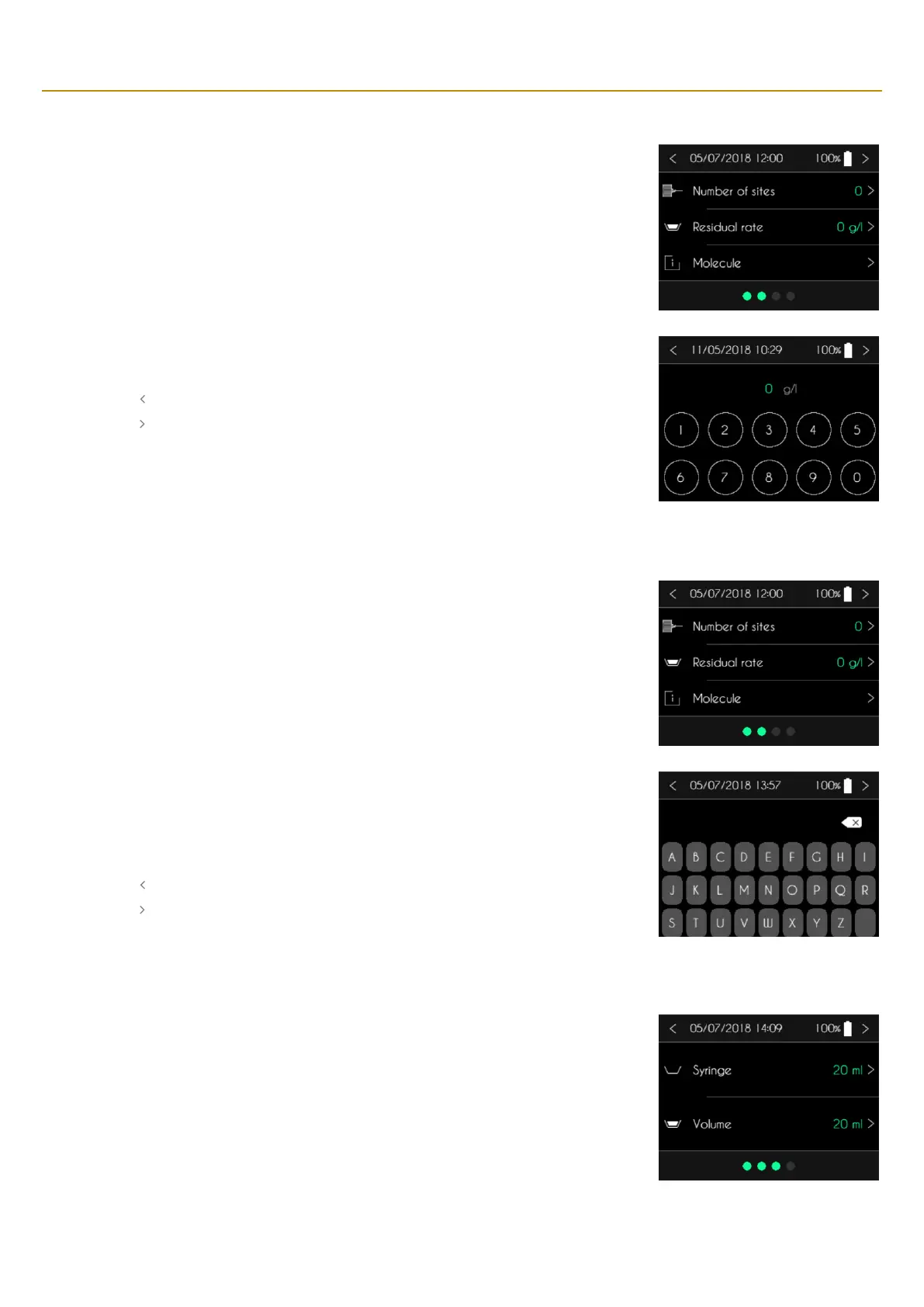
CONNECT PID displays the patient information screen. Press the residual rate to modify it.
SO
♥
CONNECT PID pump will display a numeric keypad to enter the residual rate.
▪ Use the keypad to enter the residual rate.
▪ Press “ ” to cancel and return to the previous screen.
▪ Press “ ” to confirm and return to the previous screen.
Entering the name of the medication
SO
♥
CONNECT PID pump displays the patient information screen. Press the name of the medication
to modify it.
SO
♥
CONNECT PID wil display the alphabetical keypad for entering the name of the medication. It
may have no more than 16 characters.
▪ Use the keypad to enter the surname.
▪ Press “” to delete the characters entered.
▪ Press “ ” to cancel and return to the previous screen.
▪ Press “ ” to confirm and return to the previous screen.
Step 2 : selecting the type of syringe and the volume to infuse
After the patient information is confirmed, the SO
♥
CONNECT PID pump displays the type of syringe
and the volume to infuse.



 To Next Page