22 ECS Series Manual — P/N LS10262-001FK-E:A 3/3/2021
Device Installation Installing the FIK-NVCM
4. Install the FIK-SW24 on the six mounting studs located on the inside of the dead front panel. See Figure 4.4 for FCP-300ECS or
Figure 4.6 for FCP-2100ECS.
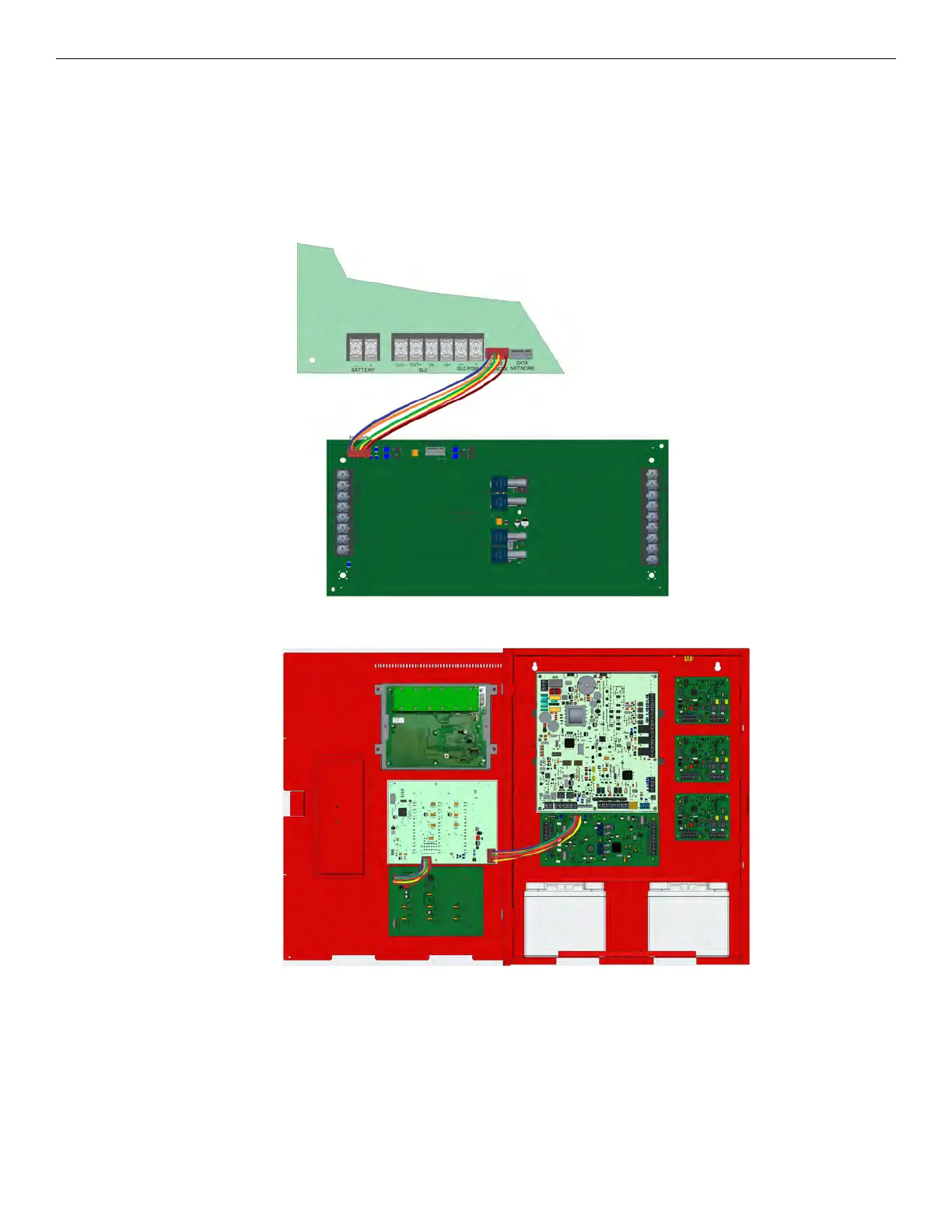
5. For the FCP-300ECS, connect one end of the wiring harness (P/N 130398 supplied) to the FIK-EMG and the other end to the FIK-
SW24 as shown in Figure 4.5.
6. For the FCP-2100ECS, connect one end of the wiring harness (PN 130398 supplied) to the FIK-EMG and the other end to the P4
connector on the FIK-NVCM as shown in Figure 4.6. If two FIK-SW24's are used, connect one FIK-SW24 to the other FIK-SW24 as
shown in Figure 4.7.
7. Secure the switch expander(s) to the dead front panel using the supplied six ¼” Hex nuts.
8. Restore AC power.
9. Reconnect backup batteries
Figure 4.4 Wiring Harness Connection for the FIK-NVCM to the FCP-300ECS
Figure 4.5 Connection between the FIK-EMG and One FIK-SW24



 To Next Page