Optional Modules and Devices Installation
MS-9600 PN 51335:E 7/9/03 41
Module Installation on BRKT-9600
The following modules can be installed inside the MS-9600 cabinet using the
BRKT-9600 Universal Bracket:
UDACT-F Digital Alarm Communicator/Transmitter - installs at standoff
location (A)
ACM-8RF Annunciator Control Module (Relay) - installs at standoff location
(A)
Refer to the appropriate module manual for detailed information on module
operation and wiring.
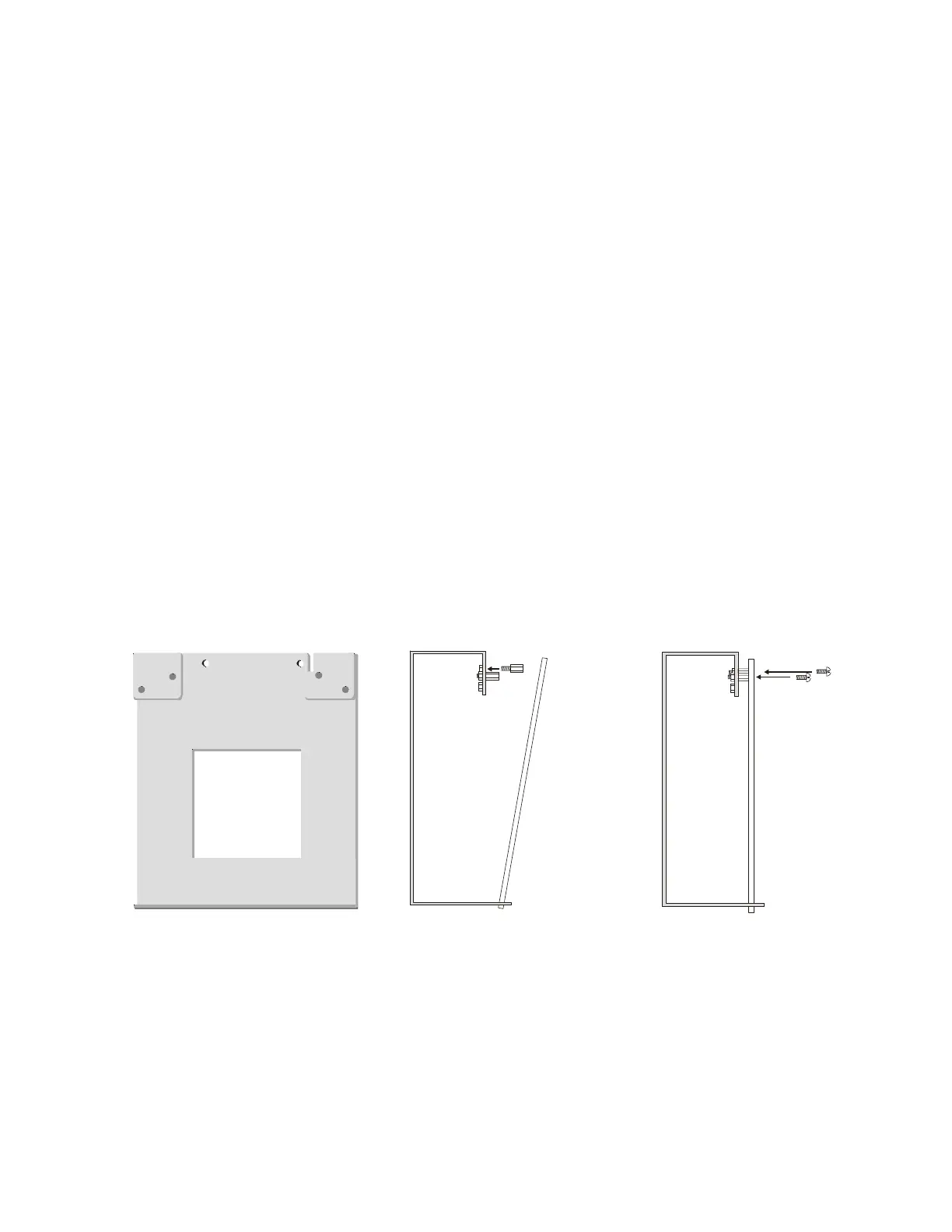
1. Install the two supplied standoffs in location (A) as indicated in Step 1 of the
following illustration
2. Position the module bottom in the slot located in the bottom of the BRKT-9600
as indicated in Step 2 of the following illustration
3. Secure the module to the standoffs installed in the top of the BRKT-9600 with
two mounting screws as indicated in Step 3 of the following illustration
4. Refer to the appropriate module manual for detailed information on wiring the
module for power, communication, etc.
5. Install a maximum of two 12 Amp Hour batteries with the orientation illustrated
in Figure 2.19. Larger batteries require a separate UL listed battery box
Note: Do not bring wiring or conduit into the bottom of the cabinet for this
application.
Figure 2.20 BRKT-9600 Module Installation Steps
Step 1
Step 2
Step 3
(A)
(A)
Slot
module
module
BRKT-9600
BRKT-9600 BRKT-9600
mounting
screws
standoffs
96brcksd.cdr
9600brkt.cdr














 To Next Page