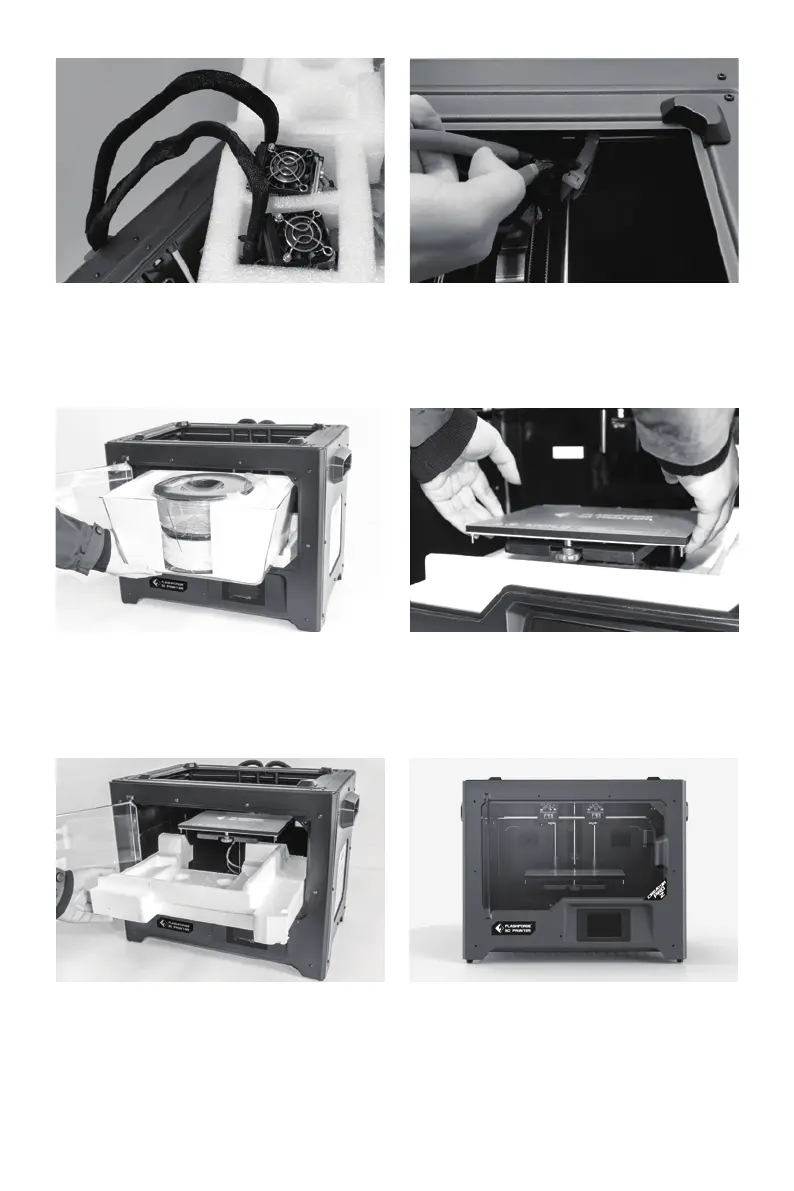
6.
5.
Take out the foam with accessories.
Shear two ties on the both sides of
X-axis guide rod.
Take the extruder out and place the
extruder carefully. Avoid the nozzle to
touch the desk, which prevent the nozzle
damage from scratch.
7. Open the door, remove top cover of the
printer and take filament out of the lid.
8. Hold both sides of the printing platform,
and slowly lift the platform from the
bottom to facilitate the removal of the
foam box below.
10. Unpacking is complete. It is recom-
mended that you keep the packaging
materials for later handling or storage.
9. Take out the foam on the bottom of the
platform, and then slowly press the
platform down by hands to the lower
position for easy subsequent installa-
tion.
10















 To Next Page