Function Introduction
1.Click [File] on the menu and choose [Preferences]. Choose the expert mode on the pop
window and click [OK].
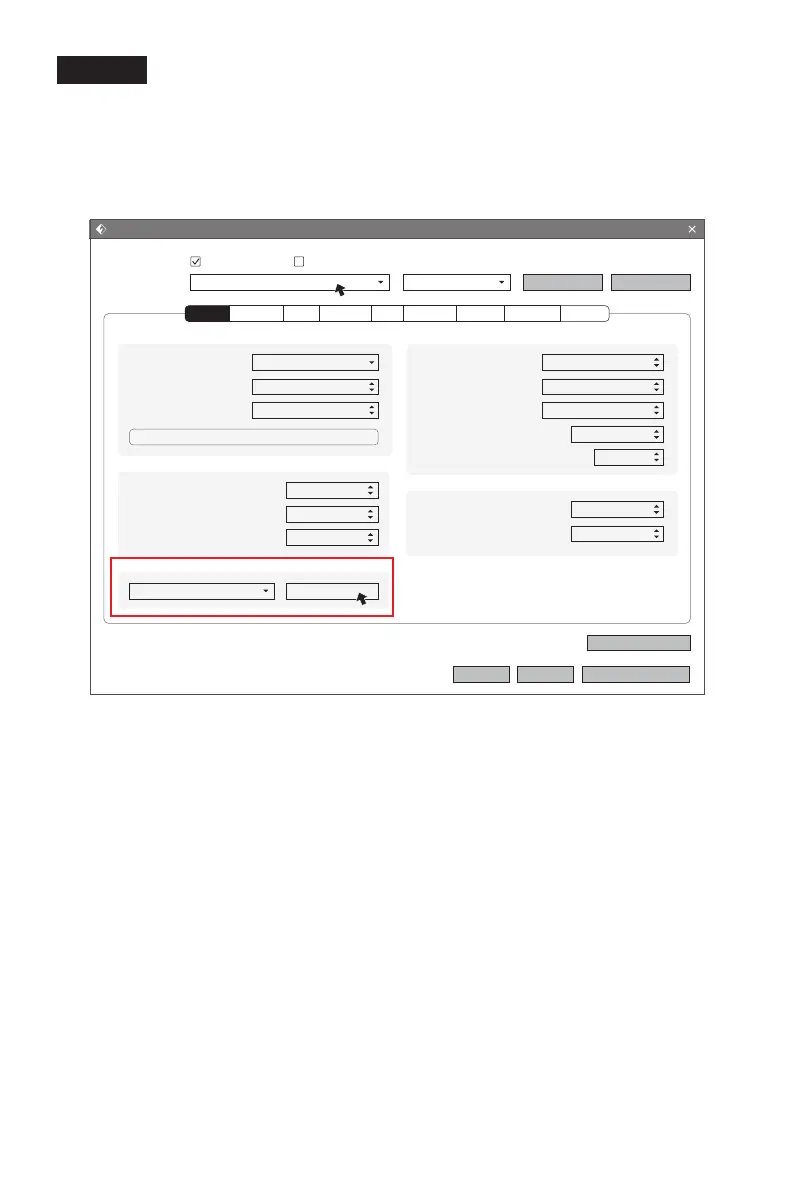
2.Click [Print] icon on the FlashPrint interface and parameter setting window appears.
Choose materials, like Creator Pro 2 PLA; When print water soluble supports, click
[General]-[Adapt Soluble Support Filament]-[PVA]-[Adapt], and click [Save Configuration].
Expert mode support choosing soluble materials, click it and set retraction for left
extruder. If adjust retraction or not, which depends on the materials feature. Setting
retraction can reduce drawings.
Print(Expert Mode)
I wan to:
Select Profile:
Layer Height Mode:
Layer Height:
First Layer Height:
Layer Height
Fixed Layer Height
0.18mm
0.27mm
Preview
Restore Defaults
OK
Edit Variable Layer Height
Cancel
Save As New
Remove
Save Configuration
Print When Slice Done
Creator Pro 2 PLA Standard
PVA
Adapt Soluble Support Filament
Adapt
Base Print Speed:
Travel Speed:
Minimum Speed:
First Layer Maximum Speed:
First Layer Maximum Travel Speed:
Speed
60mm/s
80mm/s
5mm/s
10mm/s
40mm/s
Right Extruder Length:
Right Extruder Speed:
Retraction
1.3mm
30mm/s
Right Extruder:
Left Extruder:
Platform:
Temperature
200℃
220℃
50℃
Perimeter Infill Supports Raft Additions Cooling Advanced OthersGeneral
Expert Mode
45















 To Next Page