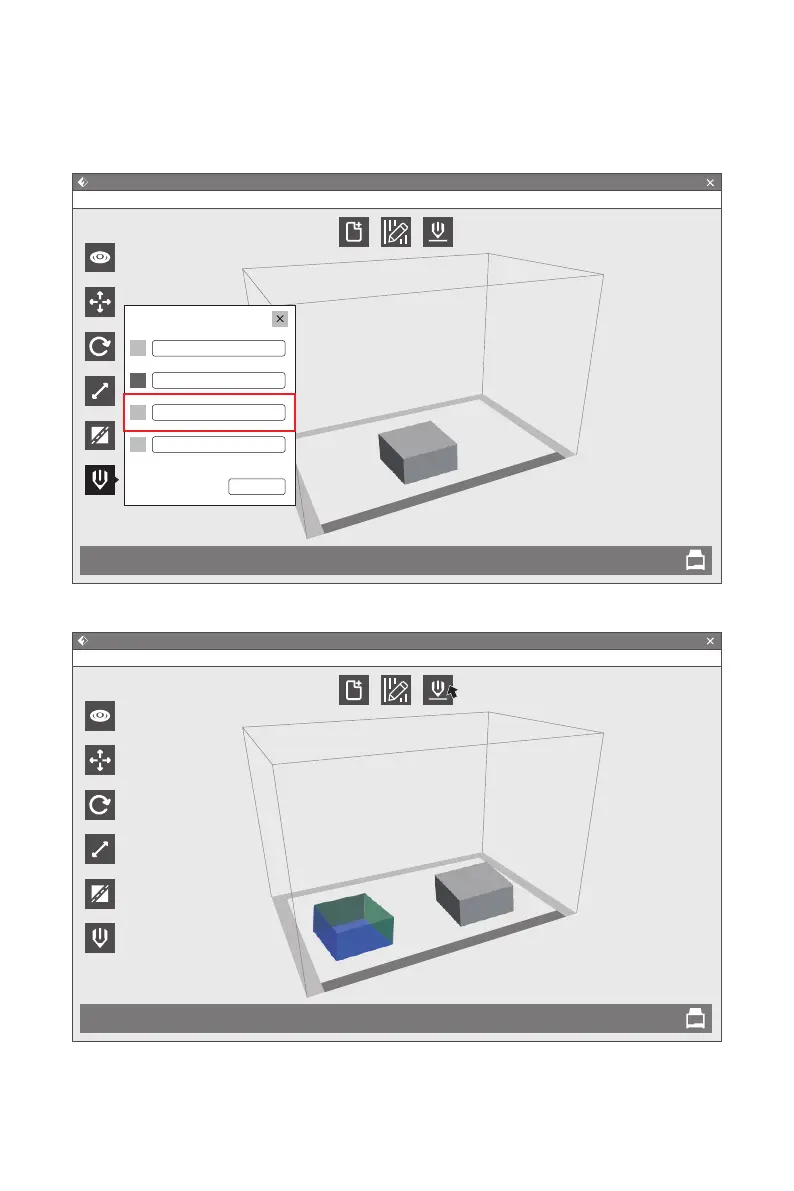
Print two same models, choose duplicate mode; print two mirror models, choose mirror
mode. Under mirror or duplicate modes, two extruders print models simultaneously.
Note:the X-axis size of model should less than 80mm with mirror or duplicate mode.
1.Choose model and click [Extruder] to start extruder setting.
2.After the mirror or duplicate models appears on the build area, click [Print].
Note:Because of height difference between two extruders under the mirror mode,
compensation layer may be print. So adding raft is suggested in the mrrior mode.
Mirror / Duplicate Functions
FlashForge Creator Pro 2
Flashprint - untitle.fpp
File(F)
Load
View
Move
Rotate
Scale
Cut
Extruder
Supports Print
Edit(E) Print(P) View(V) Tools(T) Help(H)
Set Extruder
Use Right Extruder
Use Left Extruder
Use Dual Extruder(Duplicate)
Use Dual Extruder(Mirror)
Reset
FlashForge Creator Pro 2
Flashprint - untitle.fpp
File(F)
Load
View
Move
Rotate
Scale
Cut
Extruder
Supports Print
Edit(E) Print(P) View(V) Tools(T) Help(H)
47















 To Next Page