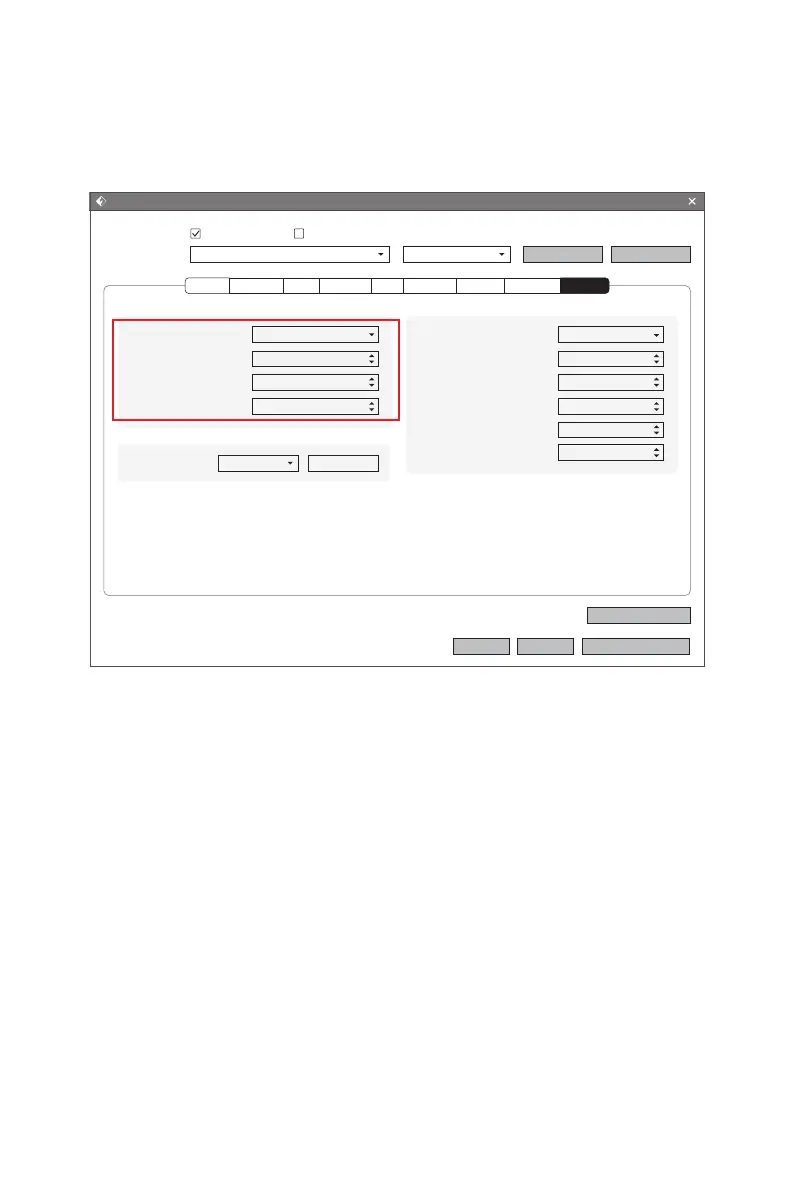
When dimensional deviation appears, click [Other] and open dimensional adjustment
functions. Positive value adjustments becomes larger size, and negative value adjust-
ments becomes smaller size; Z axis height adjusts by percentage.
Dimensional Adjustments
49
Print(Expert Mode)
I wan to:
Select Profile:
Enable Adjustments:
External Compensation:
Internal Compensation:
Z Compensation:
Dimensional Adjustments
No
0.00mm
0.10mm
0.00%
Preview
Restore Defaults
OK Cancel
Save As New
Remove
Save Configuration
Print When Slice Done
Creator Pro 2 PLA Standard
Pause Heights:
Pause At Heights
Edit
Enable Sequential Printing:
Right Nozzle Margin X:
Right Nozzle Margin Y:
Left Nozzle Margin X:
Left Nozzle Margin Y:
Gantry Height:
Sequential Printing
No
50.15mm
59.00mm
50.15mm
59.00mm
31.70mm
Perimeter Infill Supports Raft Additions Cooling AdvancedGeneral Others















 To Next Page