3.2 Printing Interface
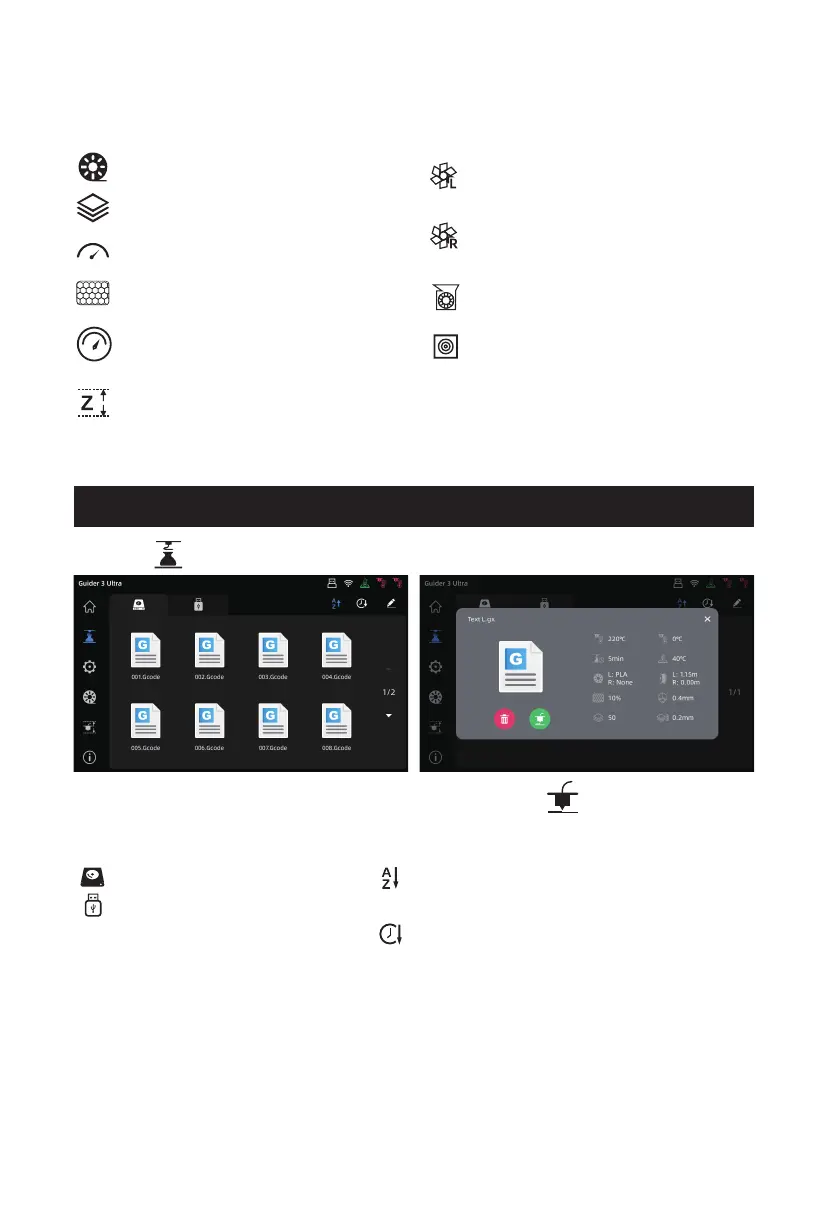
Click the model to be printed. In the pop-up box, click the [ ] icon to start printing.
Click the [ ] icon on the left to enter the printing interface.
[Local] List of local model files
[USB] List of model files on the
USB flash drive
Filament loading status
Number of layers
Real-time extruder moving speed
Infill percentage
Adjust the printing efficiency
by percentage
Adjust the Z-axis distance between
the extruder and platform
Adjust the speed of the left-nozzle
model cooling fan
Adjust the speed of the right-nozzle
model cooling fan
Adjust the speed of the auxiliary
model cooling fan
Filter fan switch
[Alphabetic order] Sort by the first letter
of the file name
[Time order] Sort by the file modification
time
16















 To Next Page