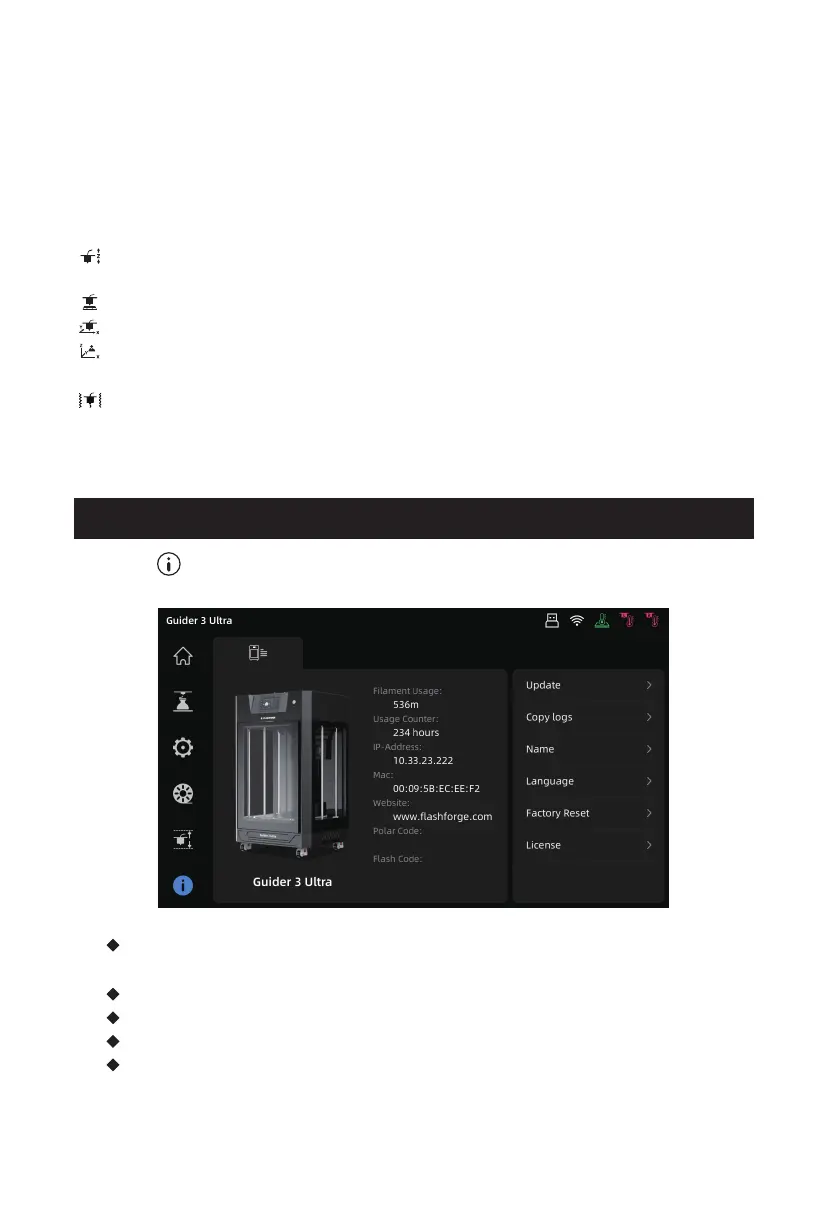
Click the [ ] icon on the left to enter the information interface.
3.6 Information Interface
[Update] Firmware upgrade; You can upgrade the firmware to the latest
version when it is connected to a wireless network.
[Copy logs] Copy logs to a USB flash drive.
[Name] Modify the printer name.
[Language] Set the printer language.
[Factory Reset] Restore all system settings to factory defaults.
Extruder calibration and platform leveling can be carried out here. Top icons
from left to right are:
[Auto Z-axis Calibration] Automatically calibrate the extruder's Z-axis travel
and the height difference between the left and right nozzles;
[Auto Leveling] Automatic platform leveling;
[XY Offset] Calibrate the XY offset of the left and right nozzles;
[Expert Mode] Manually adjust the XYZ offset of the right extruder relative to
the left extruder;
[Resonance Compensation] Conduct resonance measurements and perform
automatic shaping corrections.
19















 To Next Page