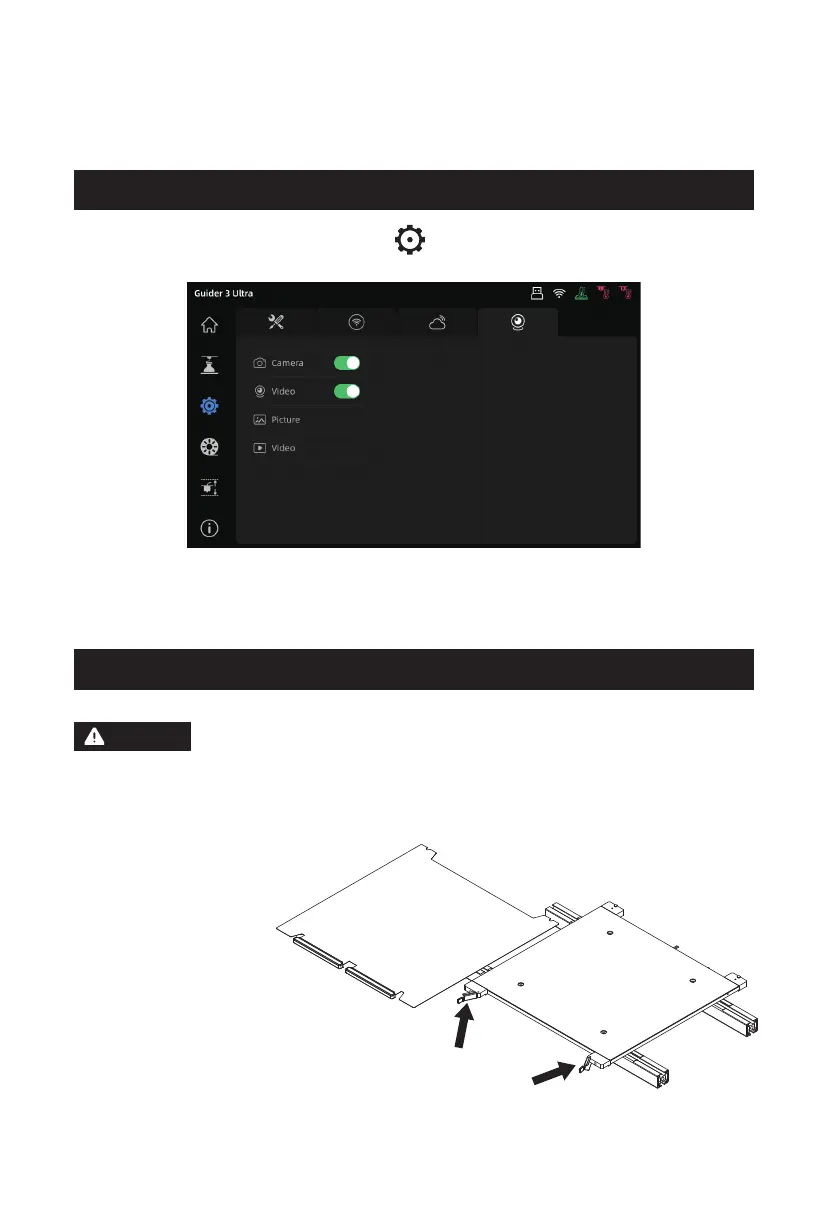
1. Turn on the camera switch. Click the [ ] icon, access the [Camera] interface, and
enable both [Camera] and [Video] functions.
2. When the printer is connected to FlashPrint, you can watch real-time videos via
FlashPrint's [Multi-Machine Control]. The camera function is also available in
FlashCloud and Polar Cloud.
4.7 Camera Connection
4.8 Model Removal After Printing
When removing a model from the build plate, please wait for it to cool down. Check
the temperature icon on the top status bar of the screen: a green icon indicates
the platform is below 50°C, safe for operating this. Consider using gloves when
removing the model and be cautious of the high temperature.
After printing is completed, loosen the
two front latches on the platform plate by
turning them counterclockwise. Remove the
entire platform plate and bend it to remove
the model.
Warning
30















 To Next Page