4.6 Cloud Printing
1. Open the FlashCloud website and register an account. After email activation,
you can log in and use. FlashCloud: https://cloud.sz3dp.com
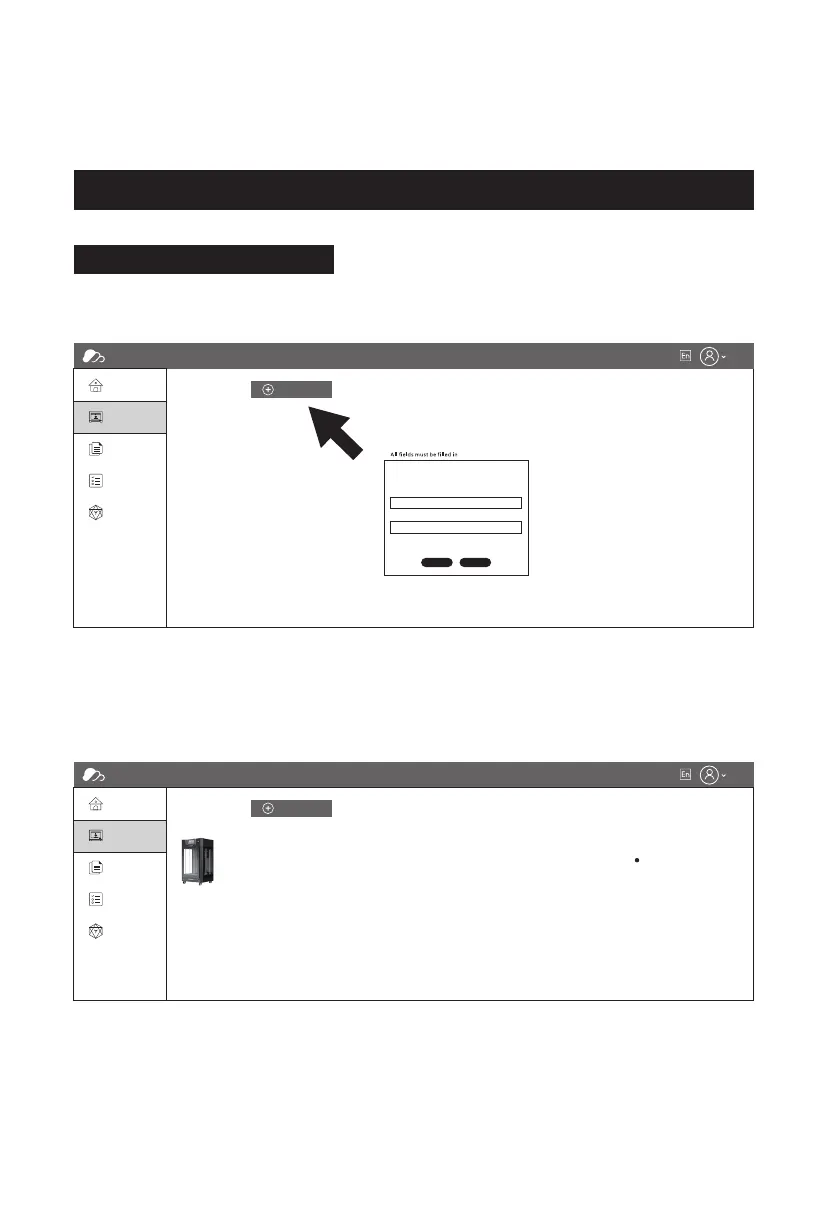
2. Click [My Printer] - [Add Printer].
On the Add Printer page, enter the registration code (cloud registration code) and
name the printer. After clicking [OK], the information will appear on the printer's
FlashCloud interface.
Printing via FlashCloud
FlashCloud
Home
My Printer
My Printer
My Model
Name Register code Type State
The current printer is empty. Please add a printer.
Add printer
My Job
Model Library
Add Printer
All fields must be filled in
Name
OK Cancel
Registration Code
FlashCloud
Home
My Printer
My Printer
My Model
Register code
Guider 3 Ultra ABCDEF Guider 3 Ultra Idle
Type State
The current printer is empty. Please add a printer.
Add printer
My Job
Model Library
25















 To Next Page