9 Measurement
FLUXUS H721 9.3 Measurement settings
109
UMFLUXUS_H721V1-5EN, 2022-05-15
9.3 Measurement settings
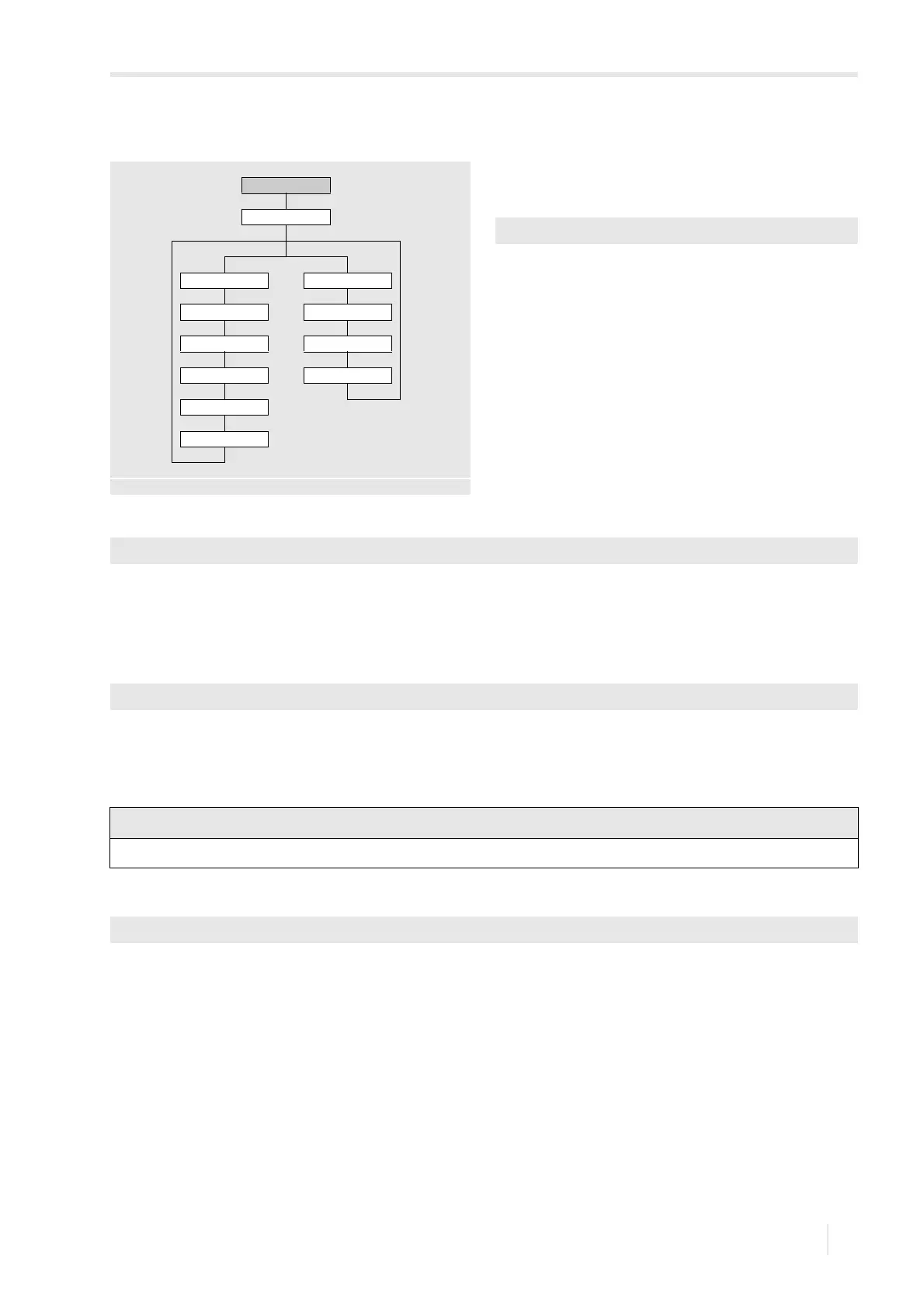
• Select the program branch Options.
•Press ENTER.
• Select the channel for which a physical quantity has to be
entered (here: Channel A)
•Press ENTER.
This display will not be indicated if the transmitter has only
one measuring channel.
• Select the menu item Measurement.
•Press ENTER.
9.3.1 Selection of the physical quantity
The available physical quantities are displayed in a list.
• Select the physical quantity.
• Press ENTER.
9.3.2 Selection of the unit of measurement
For the selected physical quantity (except sound speed), a scroll list with the available units of measurement is displayed.
• Select the unit of measurement of the physical quantity.
• Press ENTER.
9.3.3 Input of the damping factor
Each displayed measured value is a floating average of the last x seconds, with x being the damping factor. If 0 s is
entered as damping factor, no average is calculated.
The value of 10 s is appropriate for normal flow conditions. If the values fluctuate strongly, caused by a higher dynamic
flow, a higher damping factor can be very useful.
• Enter the damping factor.
• Press ENTER.
Options
Channel x
Measurement Units of measurement
Physical quantity Flow velocity
Unit of measurement Volumetric flow rate
Damping Mass flow rate
Dynamic damping
Error delay
see annex A
Options\Channel A
Options\Channel A\Measurement\Physical quantity
Options\...\Volumetric flow rate
If the physical quantity or the unit of measurement is changed, the settings of the outputs have to be checked.
Options\...\Damping








 To Next Page