FLUXUS WD100, WD200 4 Description of the Transmitter
16 UMFLUXUS_F5WDV1-1EN, 2016-04-08
4 Description of the Transmitter
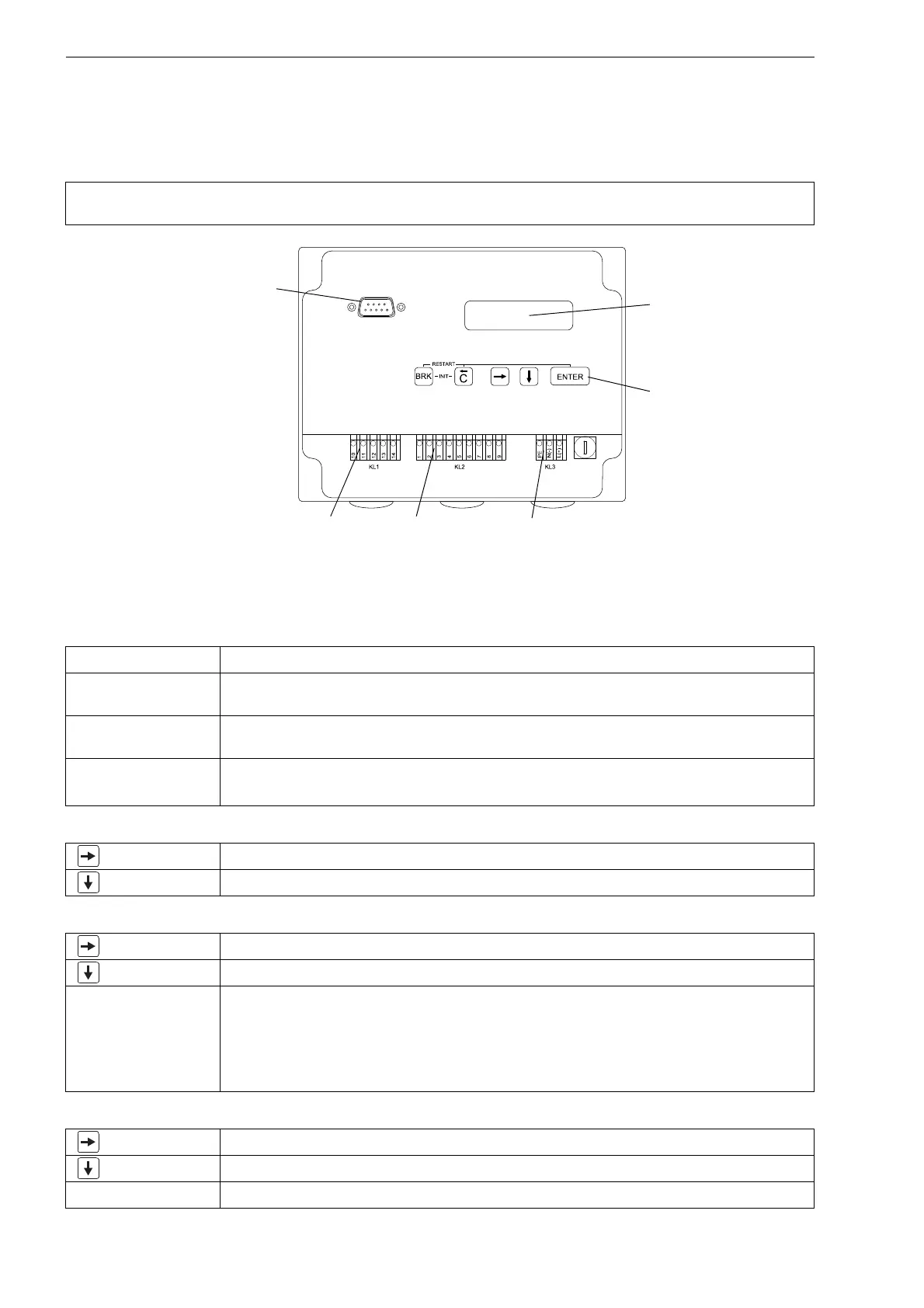
The front plate has to be removed to access the command panel.
4.1 Keyboard
The keyboard consists of 5 keys.
Attention! The degree of protection of the transmitter is only ensured if the cable glands are firmly tightened and
the housings are tightly screwed.
Fig. 4.1: Command panel
Tab. 4.1: General functions
ENTER confirmation of selection or entered value
BRK + C INIT: When switching on the transmitter press these two keys simultaneously to execute the
initialization (see section 8.2).
BRK + C + ENTER RESET: Press these three keys simultaneously to correct a malfunction. The reset has the
same effect as restarting the transmitter. Stored data are not affected.
BRK interruption of the measurement and selection of the main menu
Be careful not to stop a current measurement by inadvertently pressing key BRK!
Tab. 4.2: Navigation
scroll to the right or up through a scroll list
scroll to the left or down through a scroll list
Tab. 4.3: Input of digits
move the cursor to the right
scroll through the digits above the cursor
C Move the cursor to the left. If the cursor is on the left margin:
• an already edited value will be reset to the value which was stored previously
• an unedited value will be deleted.
If the entered value is not valid, an error message will be displayed. Press ENTER and enter a
correct value.
Tab. 4.4: Input of text
move the cursor to the right
scroll through the characters above the cursor
C reset all characters to the last stored entry
2x 16-digit LCD display,
backlit
transducers outputs power supply
keyboard
serial interface RS232











 To Next Page