15 Outputs FLUXUS WD100, WD200
UMFLUXUS_F5WDV1-1EN, 2016-04-08 83
15.6.5 Indication of the Alarm State
After the configuration of the alarm outputs and during the measurement, the state of the alarms can be indicated. This
function is activated in the program branch Special Funct.\SYSTEM settings\Dialogs/Menus. It is recommend-
ed to activate this function if the alarm outputs often have to be reconfigured.
If the indication of the alarm state is activated, the state of the alarm outputs will be indicated after the configuration of the
alarm outputs:
15.7 Deactivation of the Outputs
If the programmed outputs are no longer required, they can be deactivated. The configuration of a deactivated output is
stored and will be available if the output is activated again.
Note! There is no visual or acoustic indication of alarm output switching.
Select the menu item SHOW RELAIS STAT. Select on to activate the indication of the
alarm state.
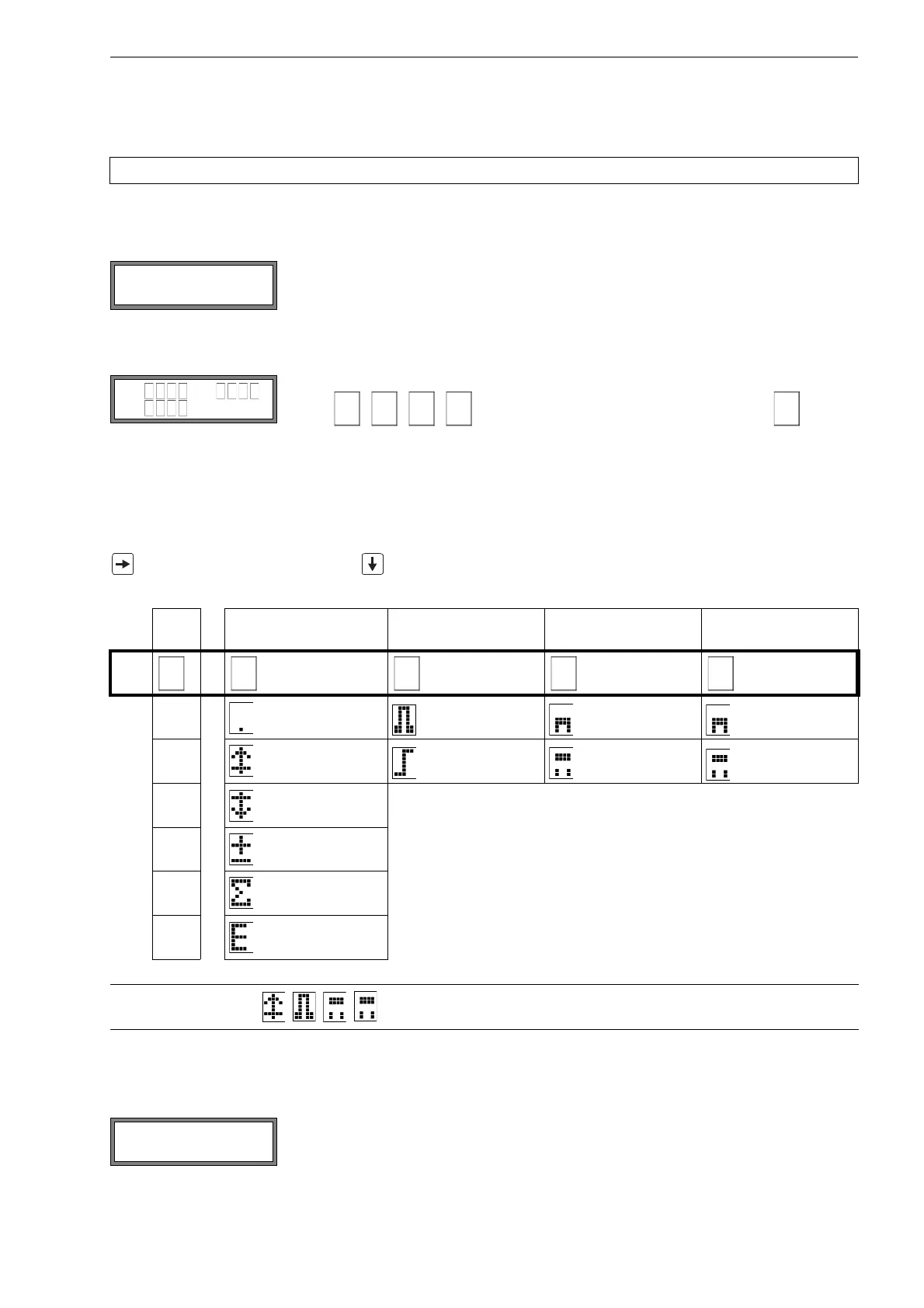
The indication of the alarm state is structured as follows:
RX =
, where X is the number of the alarm output and
is a pic-
togram according to Tab. 15.6.
It is possible to repeat the configuration of the alarm outputs by pressing key C. If the con-
figuration of the alarm outputs is complete, press ENTER. The main menu will be dis-
played.
If the indication of the alarm state is activated, it is possible to show the alarm state during the measurement. Press key
to scroll through the upper line and to scroll through the lower line until the alarm state is indicated.
Tab. 15.6: Pictograms for the alarm state indication
Nr. func
(switching condition)
typ
(holding behavior)
mode
(switching function)
current
state
R=
1 OFF NON-HOLD NO Cont. closed
2 MAX HOLD NC Cont. open
3 MIN
+→- -→+
QUANT.
ERROR
Example: R1 =
Select no in Output Options\Alarm Output to deactivate an output. Press ENTER.











 To Next Page