12 Data Logger and Transmission of Data FLUXUS WD100, WD200
UMFLUXUS_F5WDV1-1EN, 2016-04-08 63
Transmission of Data
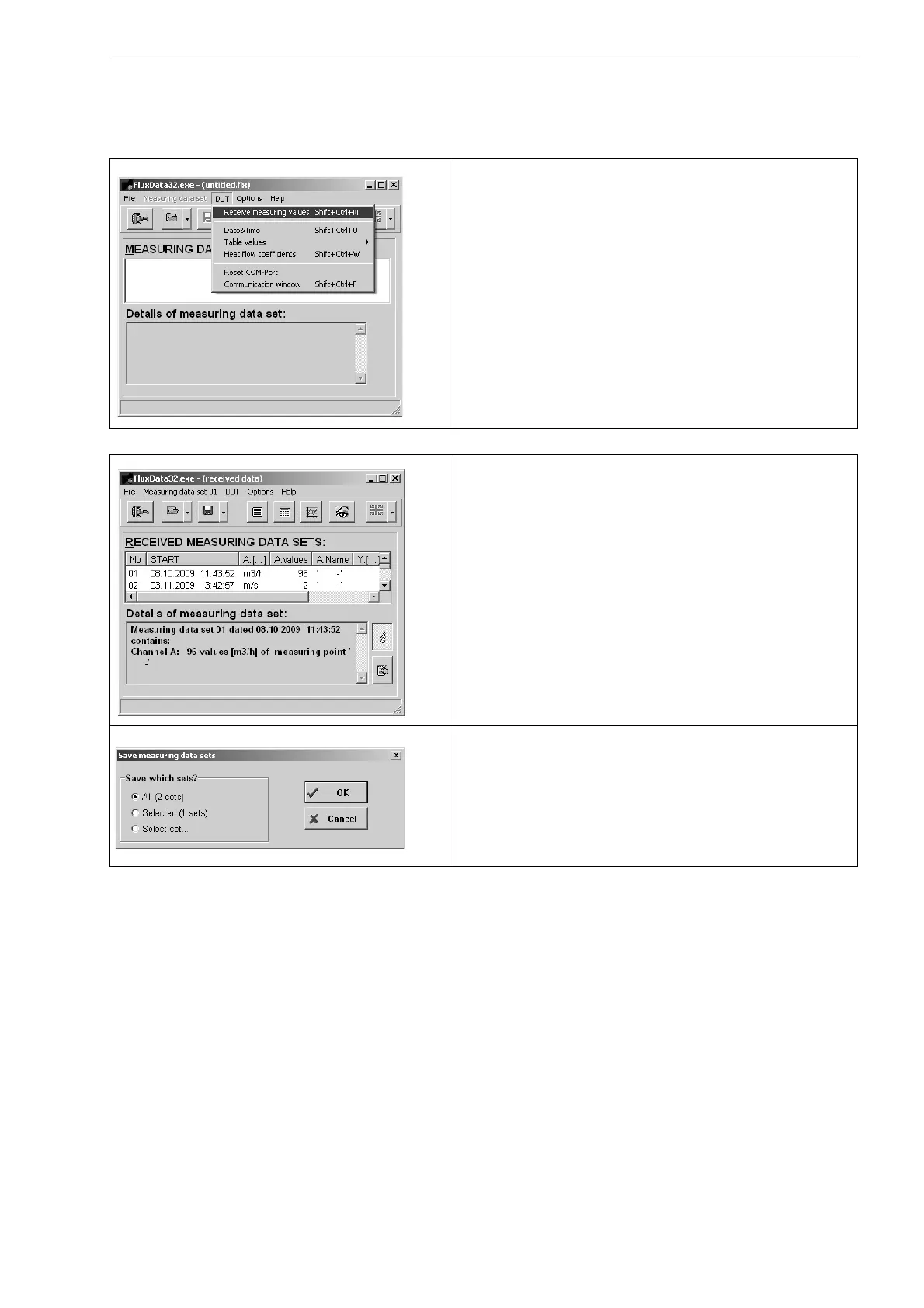
Select the menu: DUT > Receive measuring values.
Wait until the data are transmitted.
Stop of the transmission of data
Select the menu: File > Save.
Select the series of measurement to be stored. Click on OK.
Select the path on which the data should be stored. Enter the
file name. Click on Save.
The file will be stored with the file extension .flx.











 To Next Page