1750
Operators Manual
36
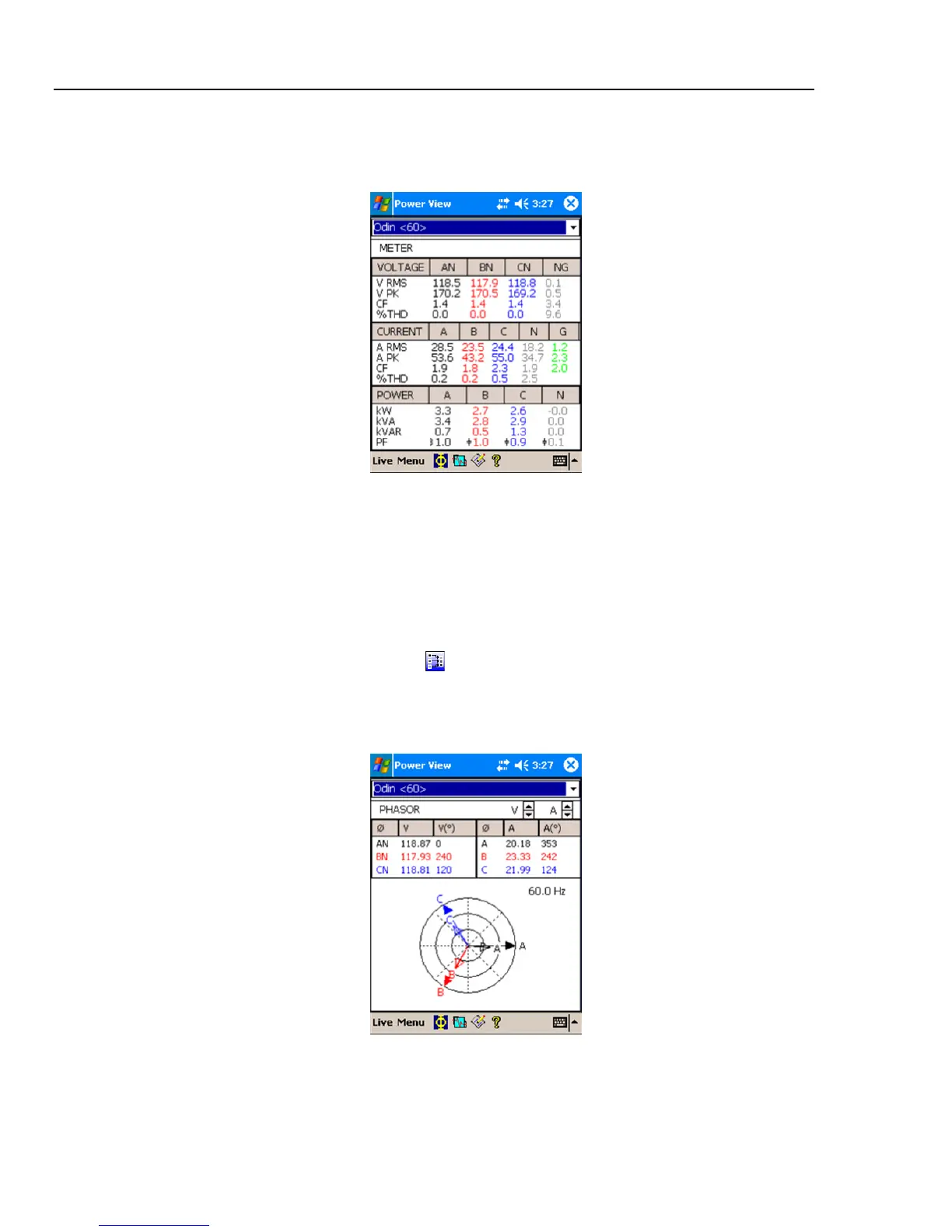
Meter Screen
The Meter screen shows numeric readings for all selected phases.
Azd122.bmp
Phasor Screen
The Phasor screen shows voltage (long arrows with solid arrowheads), current
amplitudes, and phase angles. This screen is used to verify proper test lead and current
probe connections. You can use the V and A arrows on the upper right of the screen to
change the scaling of voltage and current on the PHASOR diagram.
You can easily correct an erroneous Recorder connection by going directly to
Menu\1750 Setup\Phase Swap (
) and using the Recorder to internally invert a CT,
swap a voltage or CT phase, or modify a scaling parameter, then return to the screen to
verify that the correction has been made. There is no need to touch the cables. See “Phase
Swap” later in the manual for additional information.
Azd123.bmp



 To Next Page