Fluke 192/196/199
Users Manual
16
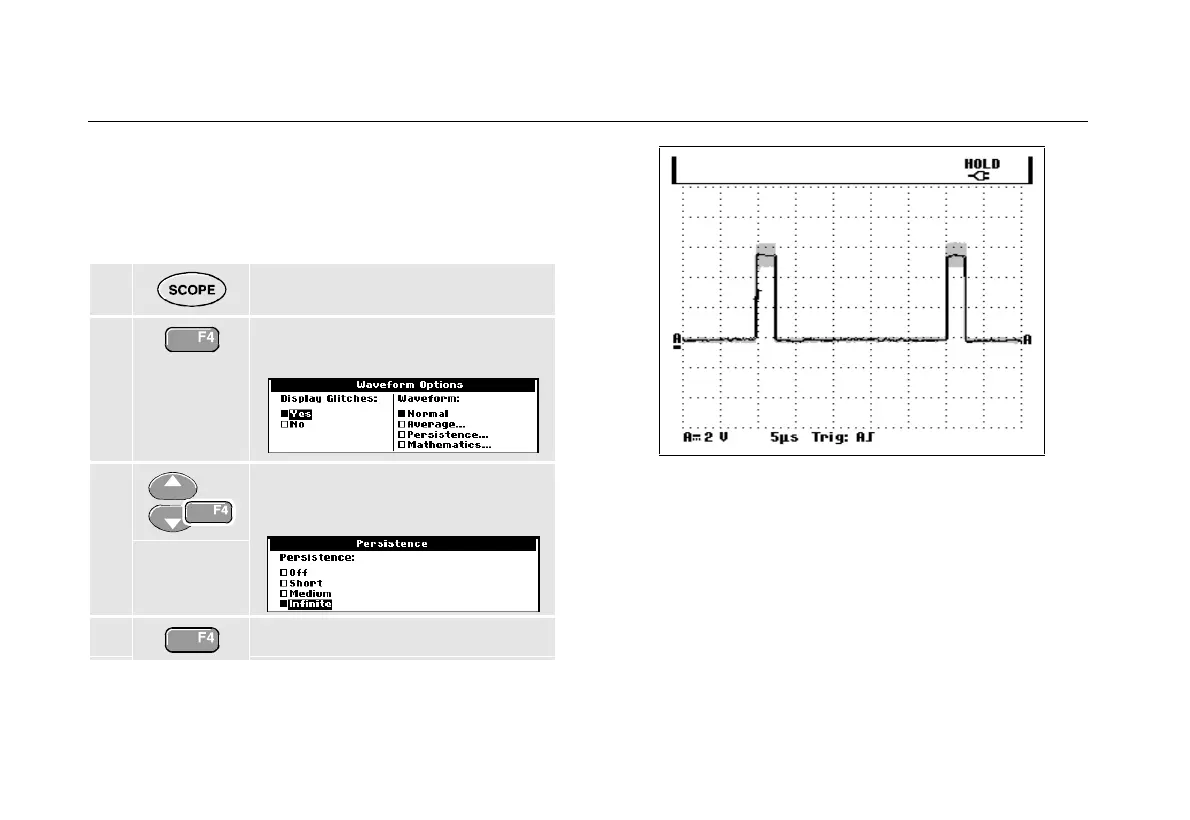
Using Persistence to Display Waveforms
When persistence is selected, the test tool displays the
upper and lower boundaries of dynamic waveforms.
1 Display the SCOPE key labels.
2 Open the Waveform Options
menu.
3 Jump to Waveform: and Select
Persistence , then select Infinite.
4 Start monitoring the waveform.
Figure 10. Using Persistence to Display Waveform
Variations
Observe that the fluctuating portion of the waveform
appears in gray on the screen. See Figure 10.
You can use persistence to observe variations in time or
amplitude of input waveforms over time.










 To Next Page