Fluke 192/196/199
Users Manual
72
Changing Date and Time
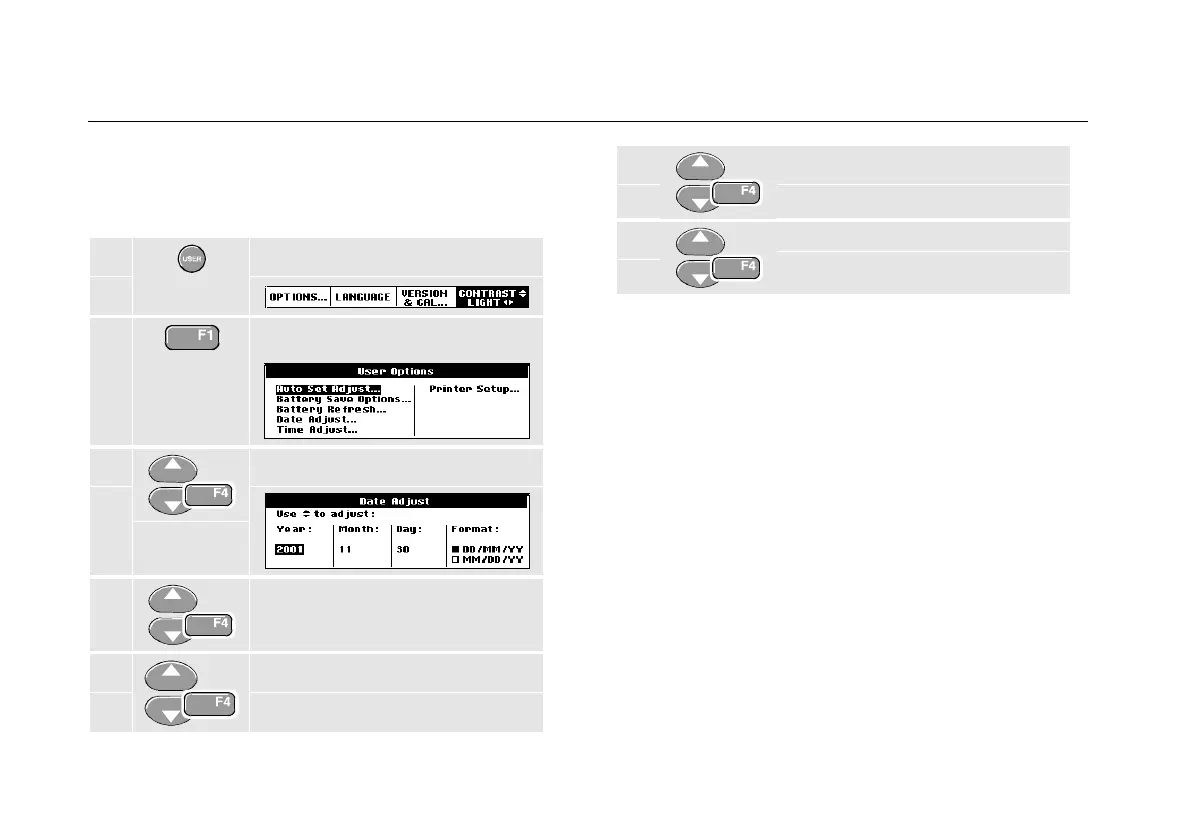
The test tool has a date and time clock. For example, to
change the date to 19 April, 1999, do the following:
1 Display the USER key labels.
2 Open the User Options menu.
3 Open Date Adjust menu.
4 Choose 1999, jump to Month.
5 Choose 04, jump to Day.
6 Choose 19, jump to Format.
7 Choose DD/MM/YY, accept the
new date.
You can change the time in a similar way by opening the
Time Adjust menu (steps 2 and 3.)










 To Next Page