Fluke 192/196/199
Users Manual
80
Displaying Calibration Information
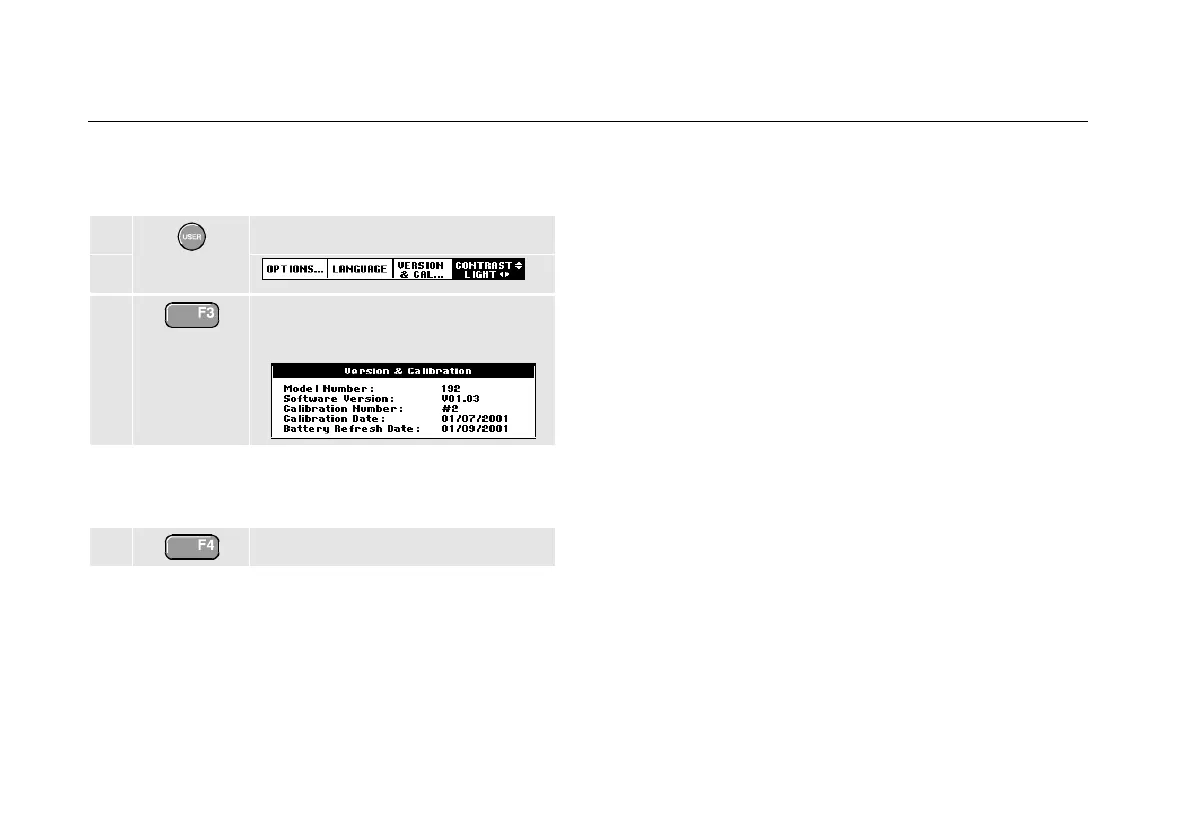
You can display version number and calibration date:
1 Display the USER key labels.
2 Open the Version & Calibration
menu.
The screen gives you information about the model
number with software version, the calibration number with
latest calibration date, and the latest battery refresh date.
3 Return.
Recalibration must be carried out by qualified personnel.
Contact your local Fluke representative for recalibration.
Parts and Accessories
Standard Accessories
The following tables list the user-replaceable parts for the
various test tool models. For additional optional
accessories, see the ScopeMeter Accessories booklet.
To order replacement parts or additional accessories,
contact your nearest service center.










 To Next Page