Using The Scope
Using Average, Persistence and Glitch Capture
1
15
Using Average, Persistence and Glitch
Capture
Using Average for Smoothing Waveforms
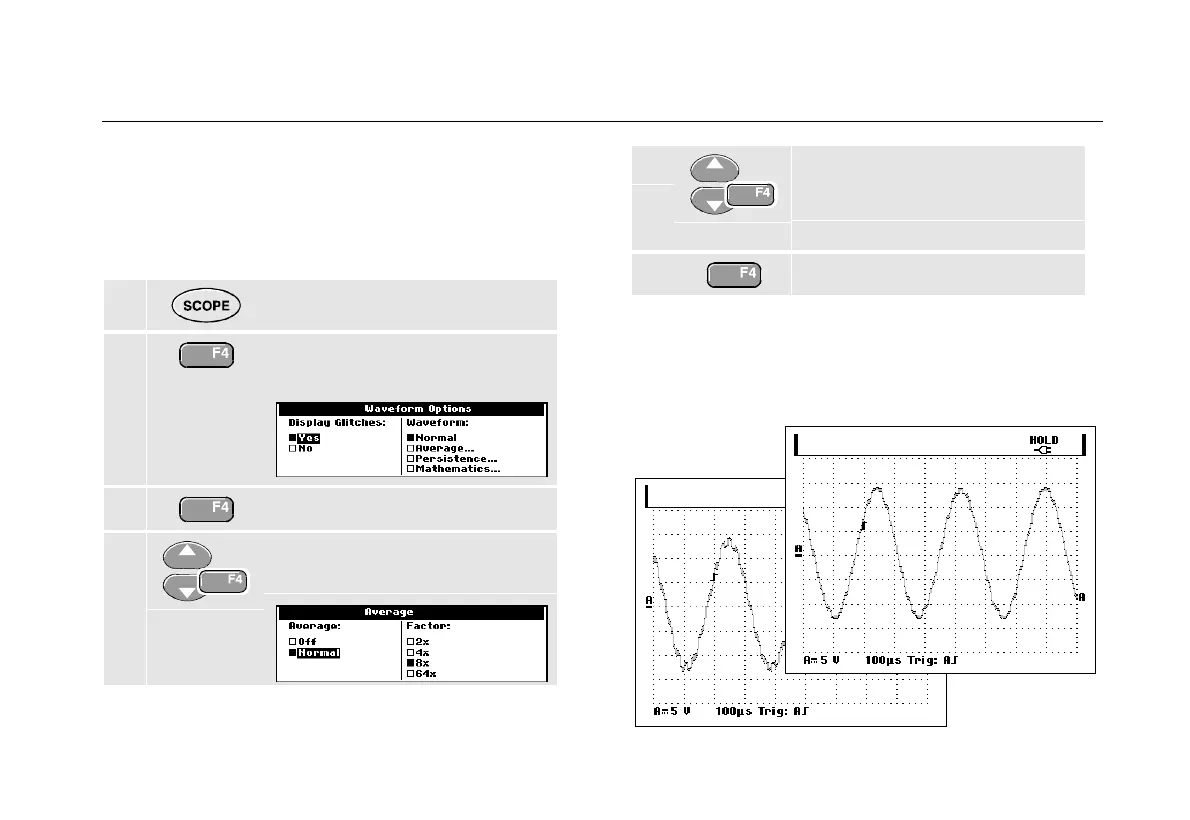
To smooth the waveform, do the following:
1 Display the SCOPE key labels.
2 Open the Waveform Options
menu.
3 Jump to Waveform:
4 Select Average... to open the
Average menu
5 Select Normal, jump to Factor:
and select Average 8x.This
averages the outcomes of 8
acquisitions.
6 Exit the menu.
You can use the average functions to suppress random
or uncorrelated noise in the waveform without loss of
bandwidth. Waveform samples with and without
smoothing are shown in Figure 9.
Figure 9. Smoothing a Waveform










 To Next Page