Triggering on Waveforms
Triggering on Video Signals
5
51
Triggering on Video Signals
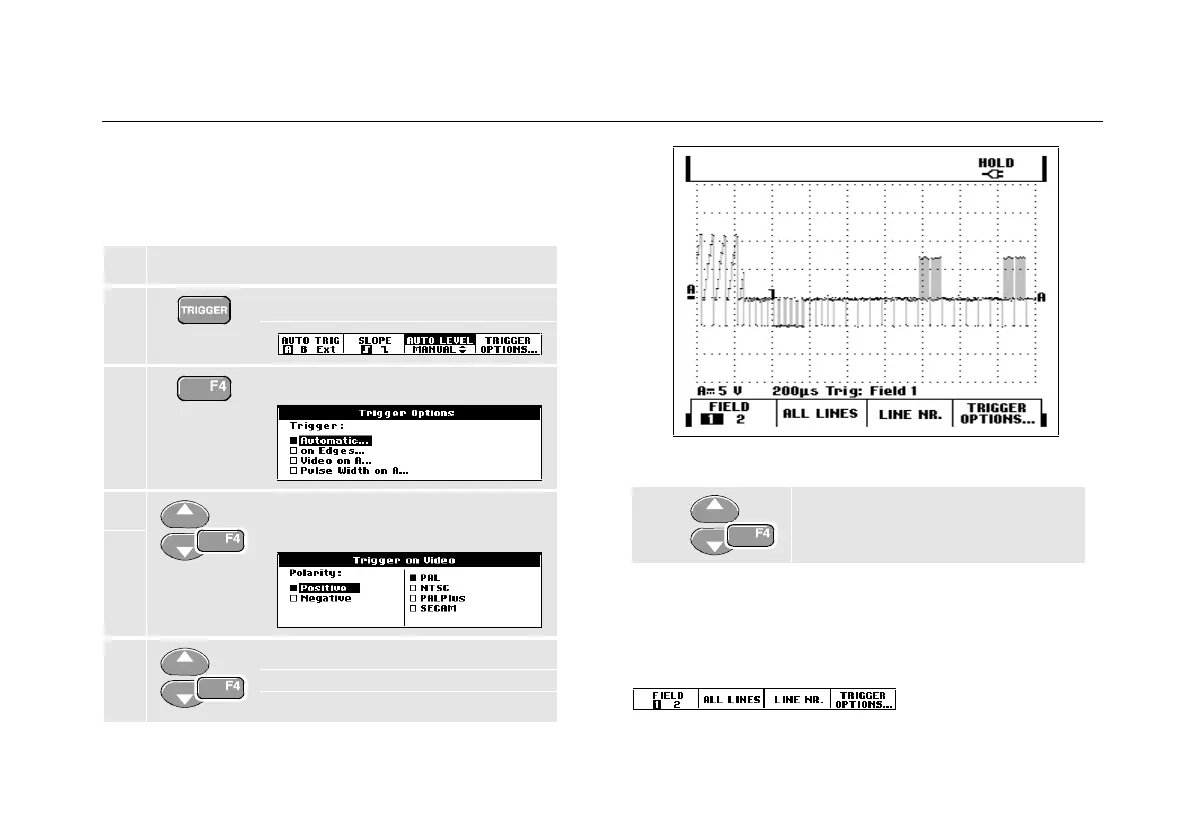
To trigger on a video signal, first select the standard of
the video signal you are going to measure:
1 Apply a video signal to the red input A.
2 Display the TRIGGER key labels.
3 Open the Trigger Options menu.
4 Select Video on A to open the
Trigger on Video menu.
5 Select positive signal polarity for
video signals with negative going
sync pulses.
Figure 30. Measuring Interlaced Video Signals
6
Select the video standard and
return.
Trigger level and slope are now fixed.
Observe that the key labels at the bottom of the screen
have been changed to allow further selection of specific
video trigger settings:










 To Next Page