Fluke 192/196/199
Users Manual
46
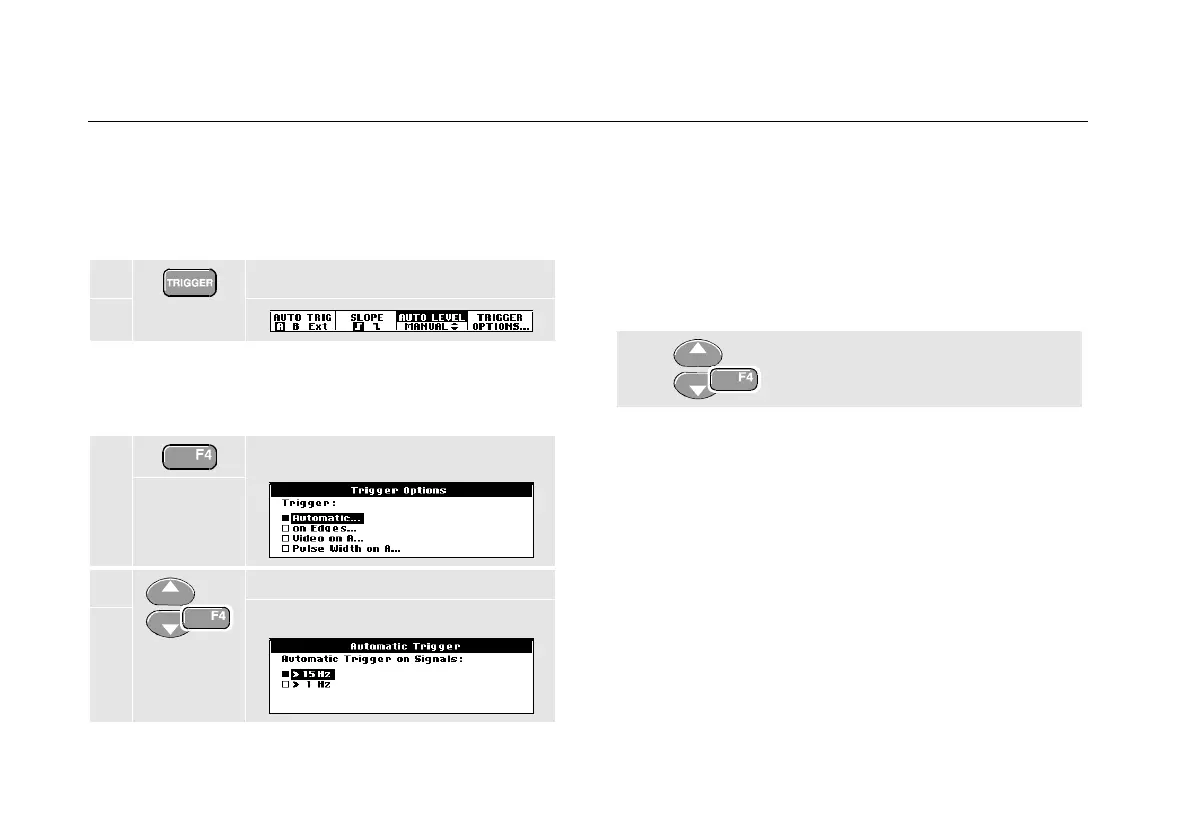
Automatic Trigger Options
In the trigger menu, settings for automatic triggering can
be changed as follows. (See also Chapter 1: “Displaying
an Unknown Signal with Connect-and-View”)
1 Display the TRIGGER key labels.
Note
The
TRIGGER key labels can differ depending on
the latest trigger function used.
2 Open the Trigger Options menu.
3 Open the Automatic Trigger
menu.
If the frequency range of the automatic triggering is set to
> 15 Hz, the Connect-and-View™ function responds
more quickly. The response is quicker because the test
tool is instructed not to analyze low frequency signal
components. However, when you measure frequencies
lower than 15 Hz, the test tool must be instructed to
analyze low frequency components for automatic
triggering:
4 Select > 1 HZ and return to the
measurement screen.










 To Next Page