Using The Recorder Functions
Recording Scope Waveforms In Deep Memory (Scope Record™)
3
33
Using Scope Record in Triggered Single Sweep
Mode
To record, for example, the power-on event of an
Uninterruptable Power Supply (UPS) it might be useful to
start recording on an external trigger signal. The next
example explains a typical triggered Single Sweep
recording.
To set up the test tool, continue from step 3 of the
previous section:
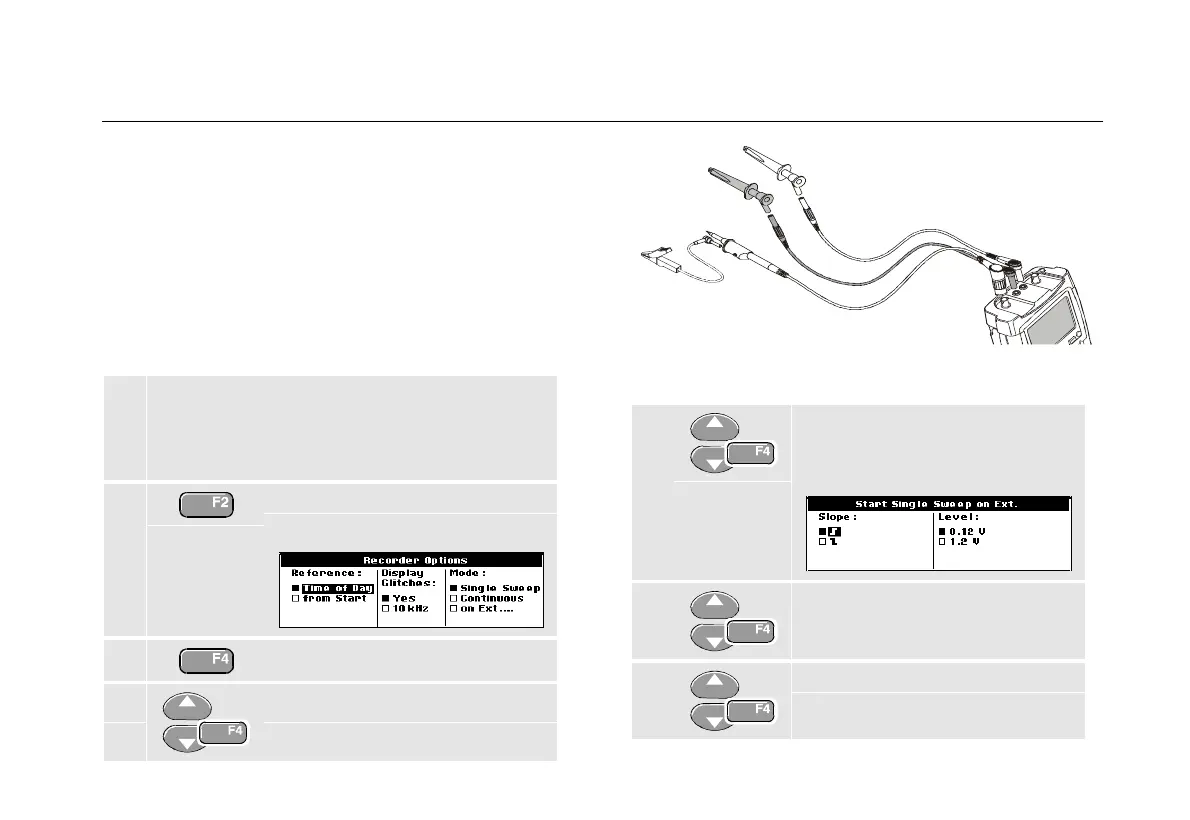
4 Apply an Uninterruptable Power Supply signal
to the red BNC input A. Apply a start signal to
the red and black external trigger banana
inputs. (See Figure 19.)
5 Open the Recorder Options
menu.
6 Jump to Display Glitches.
7 Select Yes, then jump to Mode.
Figure 19. Scope Record Single Sweep
8 Select on EXT to open the
Start Single Sweep on Ext.
menu.
9 Select positive slope and jump to
Level.
10 Select 1.2 V and accept all
recorder options.










 To Next Page