Using Replay, Zoom and Cursors
Making Cursor Measurements
4
41
Using Vertical Cursors on a Waveform
To use the cursors for a time measurement, do the
following:
1 From scope mode, display the
cursor key labels.
2 Press to highlight . Observe
that two vertical cursors are
displayed. Markers (—) identify
the point where the cursors cross
the waveform.
3 If necessary, choose the trace:
TRACE A ,B, or M (Mathematics).
4 Highlight the left cursor.
5 Move the left cursor to the
desired position on the
waveform.
6 Highlight the right cursor.
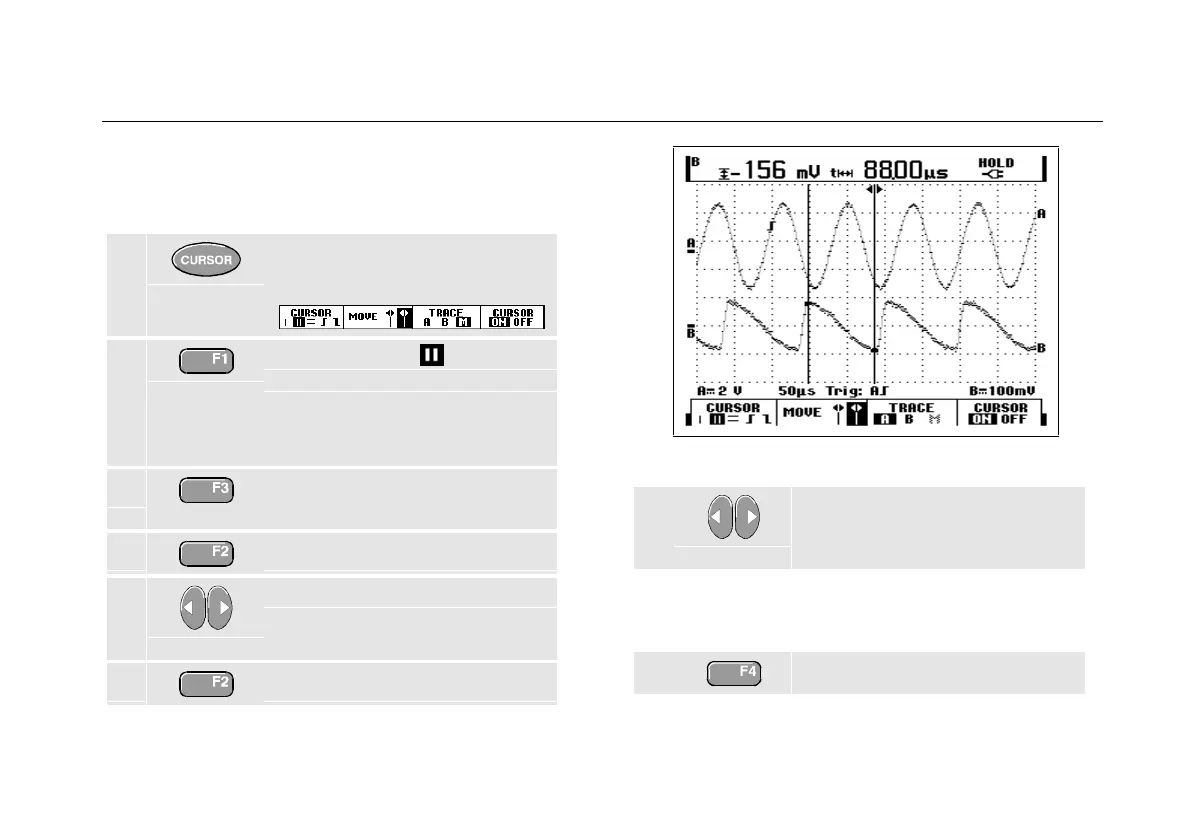
Figure 24. Time Measurement with Cursors
7 Move the right cursor to the
desired position on the
waveform.
The screen shows the time difference between the
cursors and the voltage difference between the two
markers. (See Figure 24.)
8 Turn off the cursors.










 To Next Page