Multifunction Process Calibrator
Calibrating a Transmitter
45
Calibrating a Transmitter
Use the measurement (upper display) and source (lower
display) modes to calibrate a transmitter. This section
applies to all but pressure transmitters. The following
example shows how to calibrate a temperature
transmitter. Use the following steps to calibrate a
transmitter:
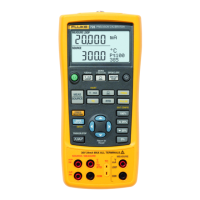
1. Connect the Calibrator to the instrument under test
as shown in Figure 20.
2. Press
l for current (upper display). If required,
press
l again to activate loop power.
3. Press
T (lower display). If desired, continue
pressing this key to select the desired thermocouple
type.
4. If necessary, press
M for SOURCE mode.
5. Set the zero and span parameters by pressing
X
and
W. Enter these parameters by pressing and
holding
J and G. For more information on
setting parameters, see “Setting 0 % and 100 %
Output Parameters”.
6. Perform test checks at 0-25-50-75-100 % points by
pressing
H or I. Adjust the transmitter as
necessary.
Note
When HART resistor mode is selected, the
250
Ω
resistor is turned on both mA channels.


 To Next Page