Maintenance
General Information
4
4-7
Elastomeric Strip
Green Power
Switch Cap
AC Shield
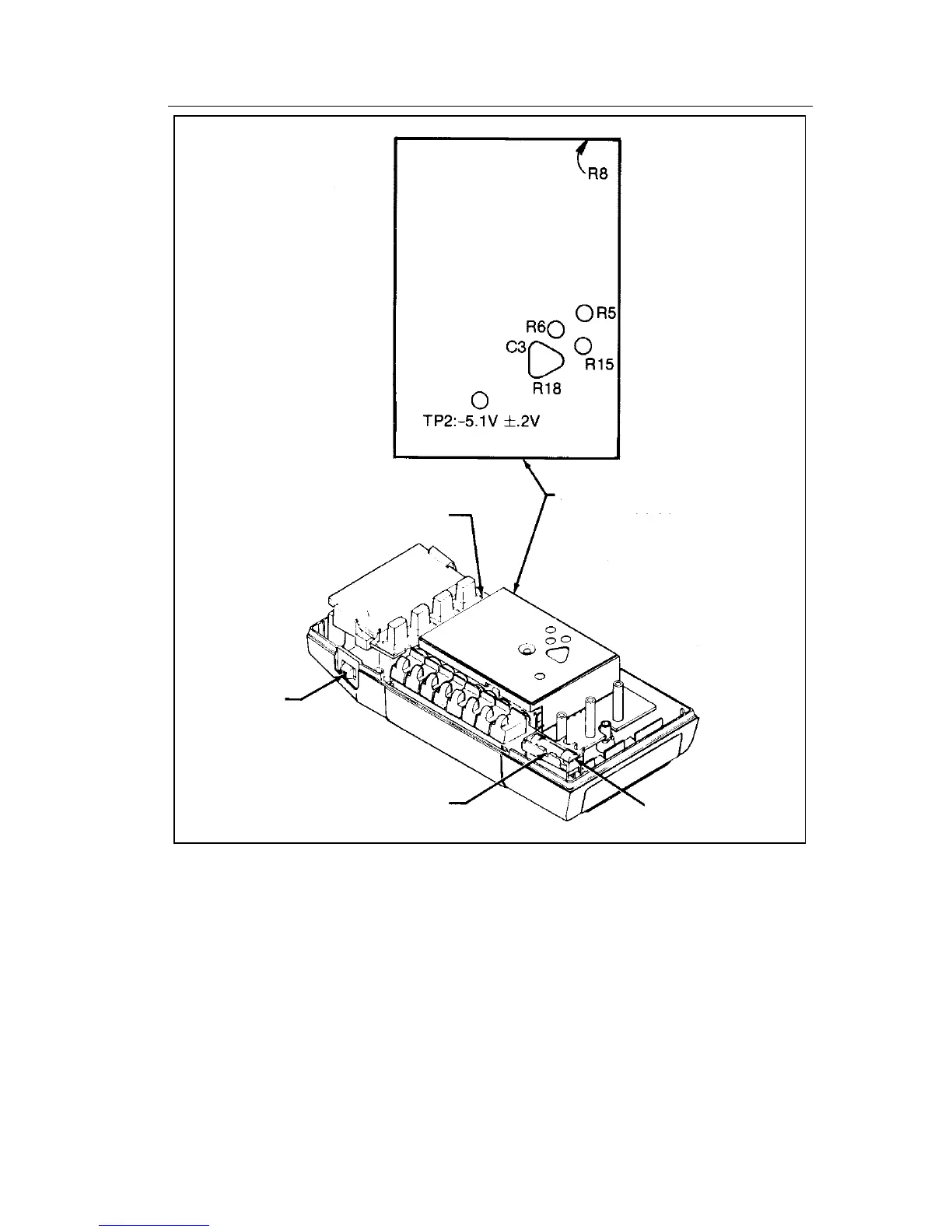
Remove before removing
Main PCB. When reassembling,
install shield after installing
Main PCB.
Pry fuse out from the side.
Backup Fuse F2
dy32c.eps
Figure 4-1. CALIBRATION AND BACKUP FUSE (F2) ACCESS
4-7. Main PCB Access
Use the following procedure to gain access to the main pcb:
1. Remove the screw in the center of the ac shield and remove the shield.
2. Using your index finger, lift up the lower right corner of the main pcb
until it is free. Then pull the pcb to the right until it clears the shelf under
the buttons.



 To Next Page