Using Cloud drive
To set up the PRÜFTECHNIKCloud drive, an ALIGNMENTRELIABILITYCENTER4.0 (ARC4.0)
licence is required. The Cloud drive allows the sharing of up-to-date asset measurements from
different devices via the PC software ARC 4.0.
Note
Wireless connection between the rugged device and a network must be established to
enable assets to be transferred via ARC4.0.
Transferring an asset to the Cloud drive
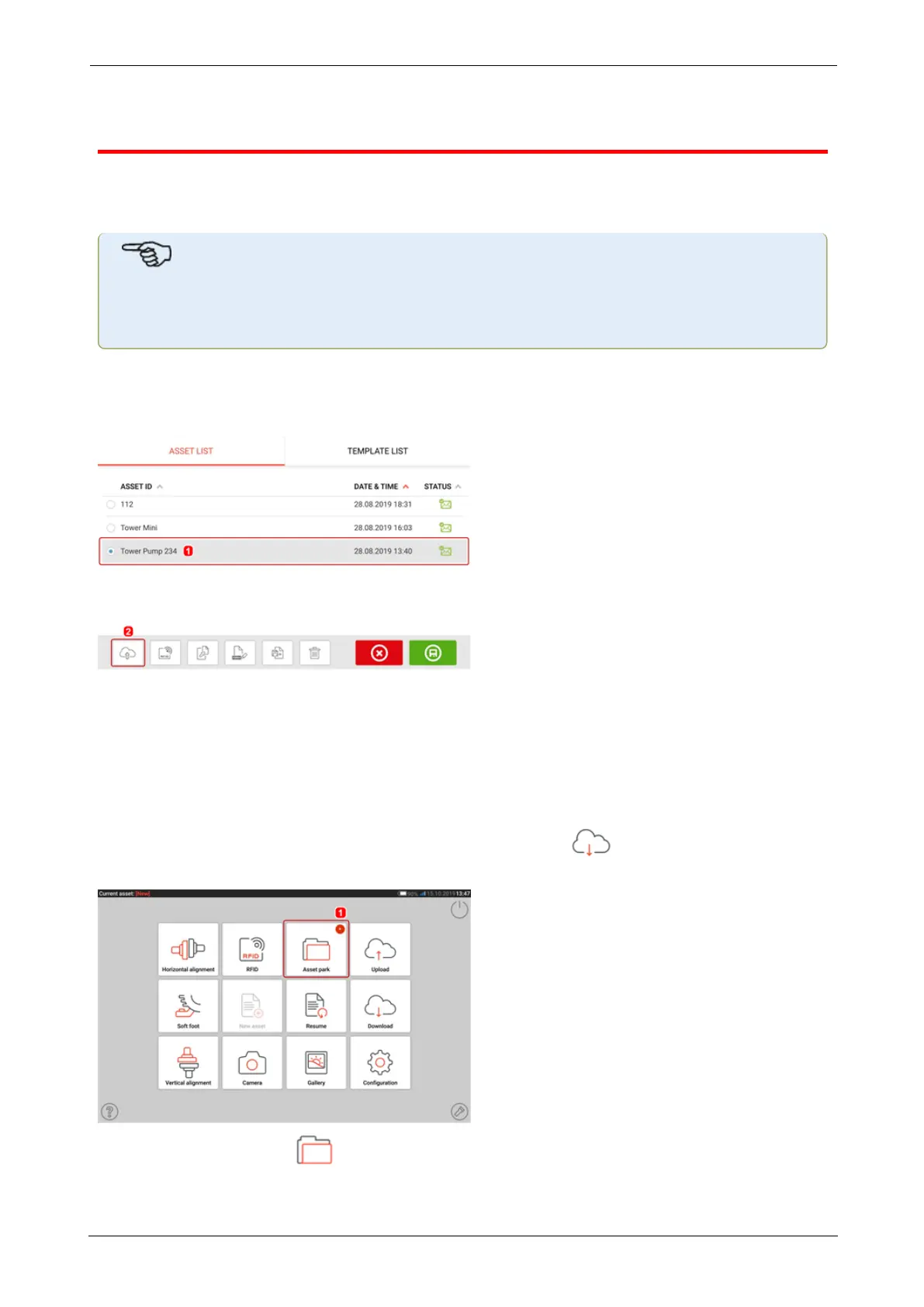
After finalizing a measurement save the asset (1) then upload it to Cloud drive.
Tap the "Upload" icon (2) The asset appears in ARC 4.0 "Exchange" view with the status "com-
plete". Drag and drop the asset in its appropriate location on the Cloud drive.
Downloading an asset from Cloud drive
From the ARC 4.0 "Exchange" view, drag and drop the desired asset into the Name pane. The
asset appears with the status "ready".
From the touch device home screen, tap the "Download" icon . The selected asset
appears in the asset park (1).
Tap the "Asset park" icon to open the asset in the rugged device.
SHAFTALIGNtouch 29
On-board help



 To Next Page