RFID
The rugged device uses this automatic identification technology to perform the following:
l Identify assets to be aligned
l Enter corresponding assets directly into the device
l Store data and results under the correct asset automatically
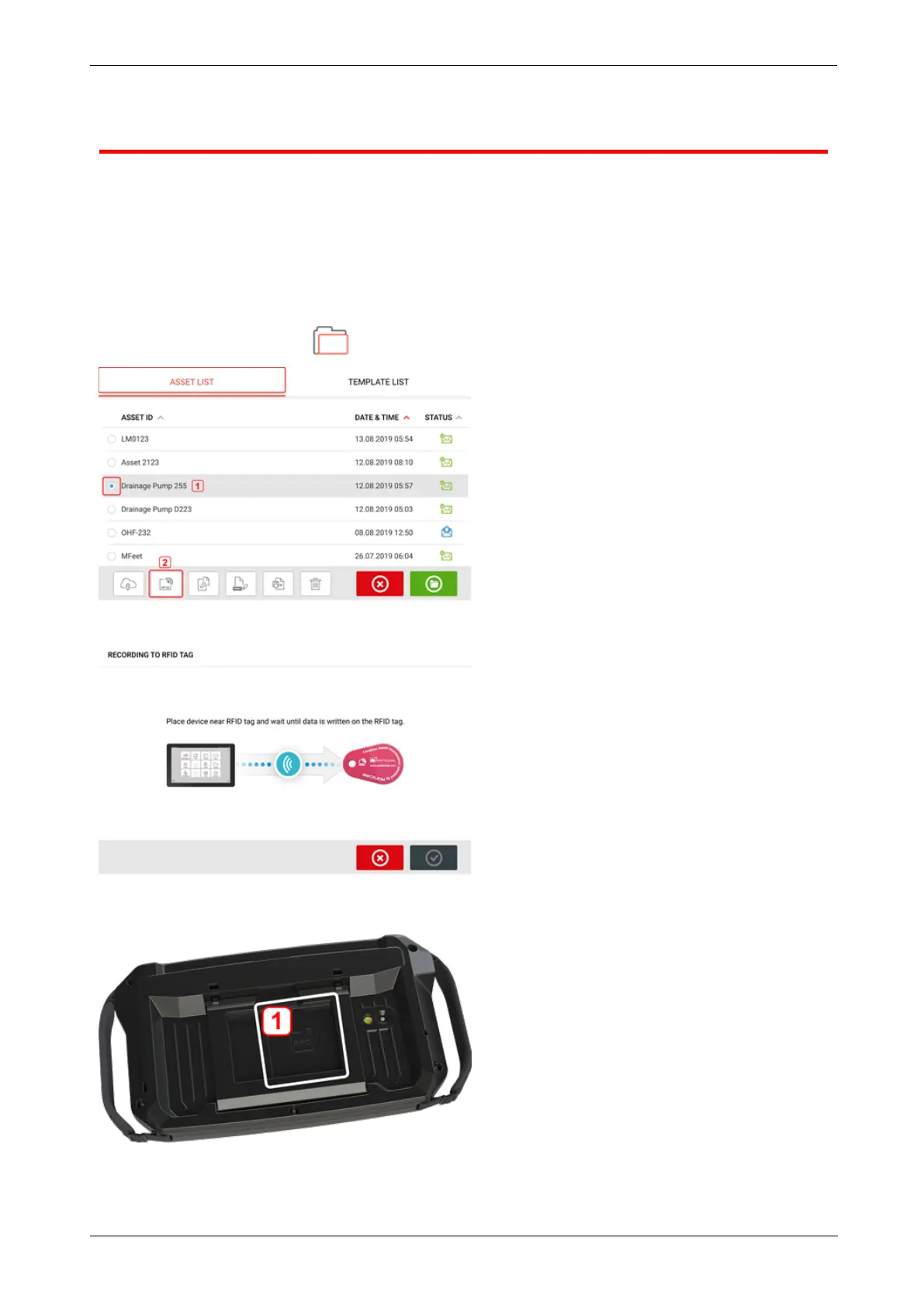
Assigning a saved asset to an RFIDtag
From the home screen, tap the "Asset park" icon to display assets saved.
Tap the asset [1] that is to be assigned to the RFIDtag, then tap the RFID icon [2].
Position the rugged device such that its built-in NFCantenna is as close to the RFID tag as pos-
sible (less than a centimeter).
l (1) Near Field Communication (NFC) antenna symbol
26 Version:2.3
On-board help



 To Next Page