Default template
It may be necessary to define any one template as the default template. The default template
will be used whenever a new asset is opened within the home screen.
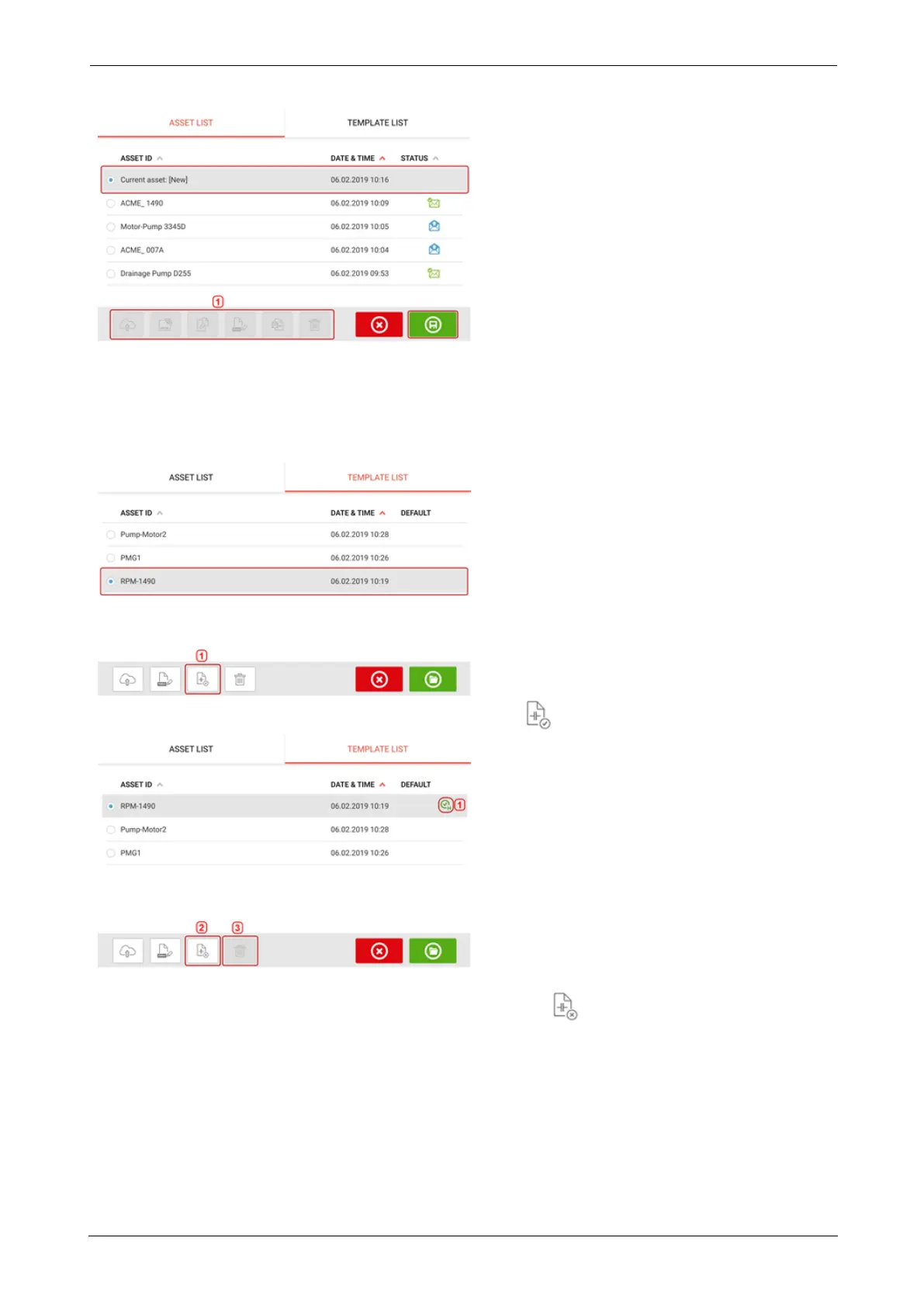
> All available templates are listed on the template list.
> Select template to be designated as default, then tap (1).
> The default template now appears on the template list with a check mark (1).
> To revert the default template to a normal template, tap (2).
> Note: The designated default template cannot be deleted (3). To delete it, it must first be
reverted to a normal template.
SHAFTALIGNtouch 87
On-board help



 To Next Page