Saving asset measurements
Saving an asset
Before switching off the instrument, dimensions, measurements, results and all settings can
be saved for analysis, future use or record purposes in the instrument’s memory or trans-
ferred via Cloud or USB to ARC 4.0 the PC software. Asset measurements are saved from the
results screen.
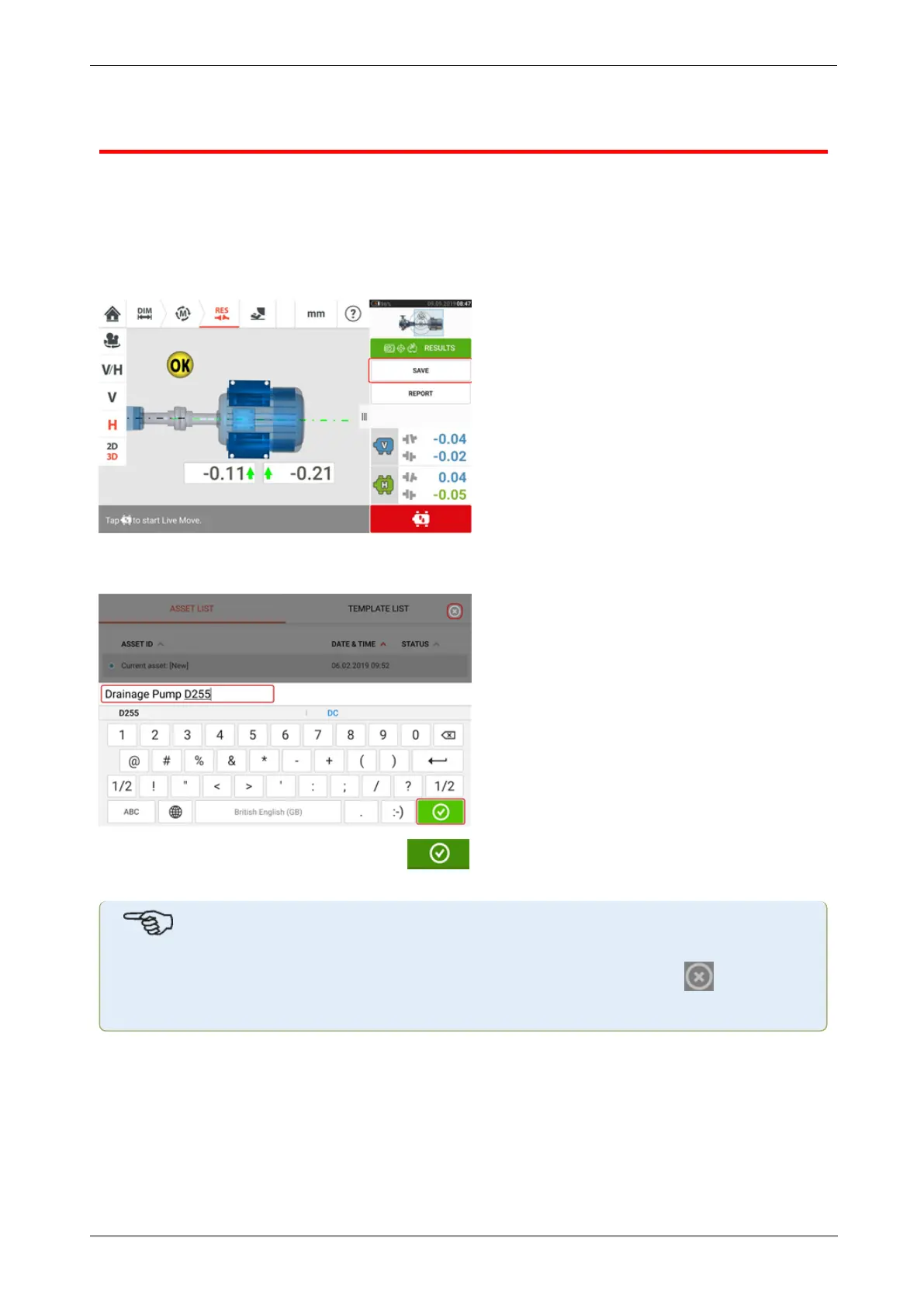
To save an asset measurement, tap the menu item "Save" then use the onscreen keyboard to
enter the measurement file name.
Once asset name has been entered, tap to save the asset under "Asset park". This is
the location where asset measurements are saved.
Note
If for any given reason, the asset is not to be saved, tap the cancel icon [ ] to cancel
saving.
Asset refers to machinery and equipment within a plant. The asset is listed as an Asset ID.
Access "Asset park" via the home screen.
82 Version:2.3
On-board help



 To Next Page